AI Clothes Finder Apps Ranked 2026
There's no shortage of tools claiming to be the best AI clothes finder — but most were built for general image search, not for the way people actually discover fashion. They return fast-fashion clones, miss resale inventory entirely, and weren't designed with screenshots in mind. According to Shopify's research on visual search in retail, image-based discovery significantly shortens the path to purchase — but only when the tool is tuned for the right use case. This guide ranks the most popular AI clothes finder tools available today, breaks down what each one is actually good at, and tells you which one is worth your time.
Dig Deeper
If you’re looking to find clothes from a picture, these guides go deeper into specific tools, methods, and use cases:
How to Find a Dress From a Picture or Screenshot (when the exact one is sold out)
Clothes Detector: Best Apps that Identify Clothes From A Photo (2026)
We're also on Medium.
What Makes an AI Clothes Finder Actually Good
Most AI clothes finders share the same core pipeline: upload an image, the AI extracts visual features, and it returns the closest product matches. The pipeline is standard. What separates tools is everything around it — where they source results, how they handle screenshots, and whether they're built for fashion or just adapted from general image search.
The features that actually matter in day-to-day use:
Fashion-tuned AI — a model trained specifically on garment attributes (silhouette, fabric, neckline, cut) outperforms general image recognition on clothing searches
Resale platform indexing — retail-only tools miss a significant portion of available inventory, especially for sold-out, vintage, or high-demand items
Screenshot-native upload flow — most outfit discovery happens on TikTok and Instagram; tools that require saving screenshots to your camera roll add friction that compounds across every search
Text + image refinement — the ability to combine an image with descriptors like "oversized linen, wide leg" dramatically improves accuracy for ambiguous photos
Search organization — without saved collections and recent history, finds disappear and searches have to be repeated
Most tools check one or two of these boxes. Very few check all of them.
Quick Comparison — AI Clothes Finder Apps Ranked (2025)
Tool | Best For | AI Accuracy | Resale Support | Screenshot Flow | Organization | Platform |
|---|---|---|---|---|---|---|
Fashion-first discovery, resale + retail | Excellent (fashion-tuned) | Yes — Depop, Poshmark, Vinted, eBay | Shortcut button — direct from any app | Collections + history | iOS | |
Fast, free everyday lookups | Good for common items | No | Yes | None | iOS / Android | |
Aesthetic and vibe-based matching | Strong for style categories | No | Yes | Boards | iOS / Android / Web | |
Simple retail matching on desktop | Moderate | No | Limited | None | Web | |
Garment description and terminology | Variable (text-only output) | No | Yes | None | Web |
Copped — Best AI Clothes Finder for Resale and Screenshot Discovery
iOS · Fashion-tuned AI · Resale-first · Screenshot-native
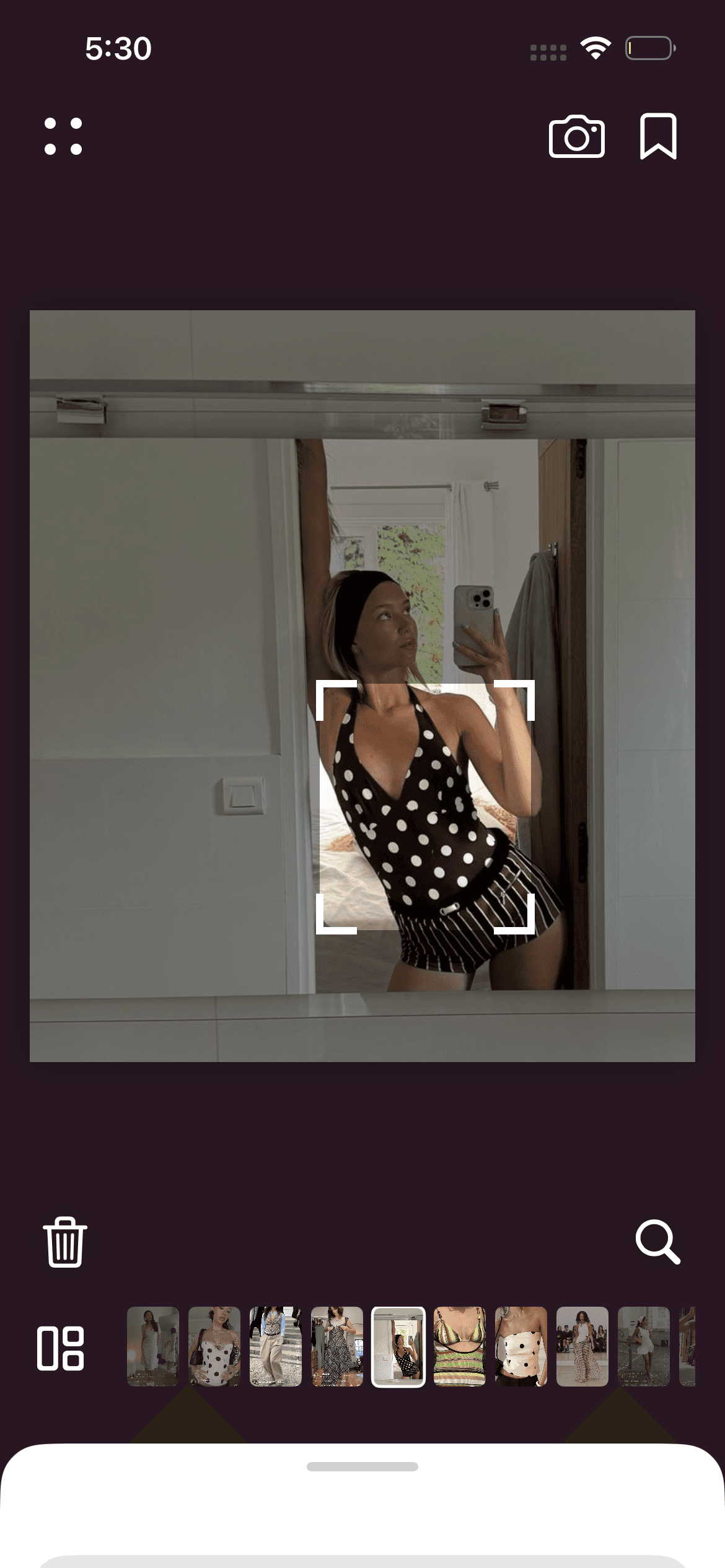
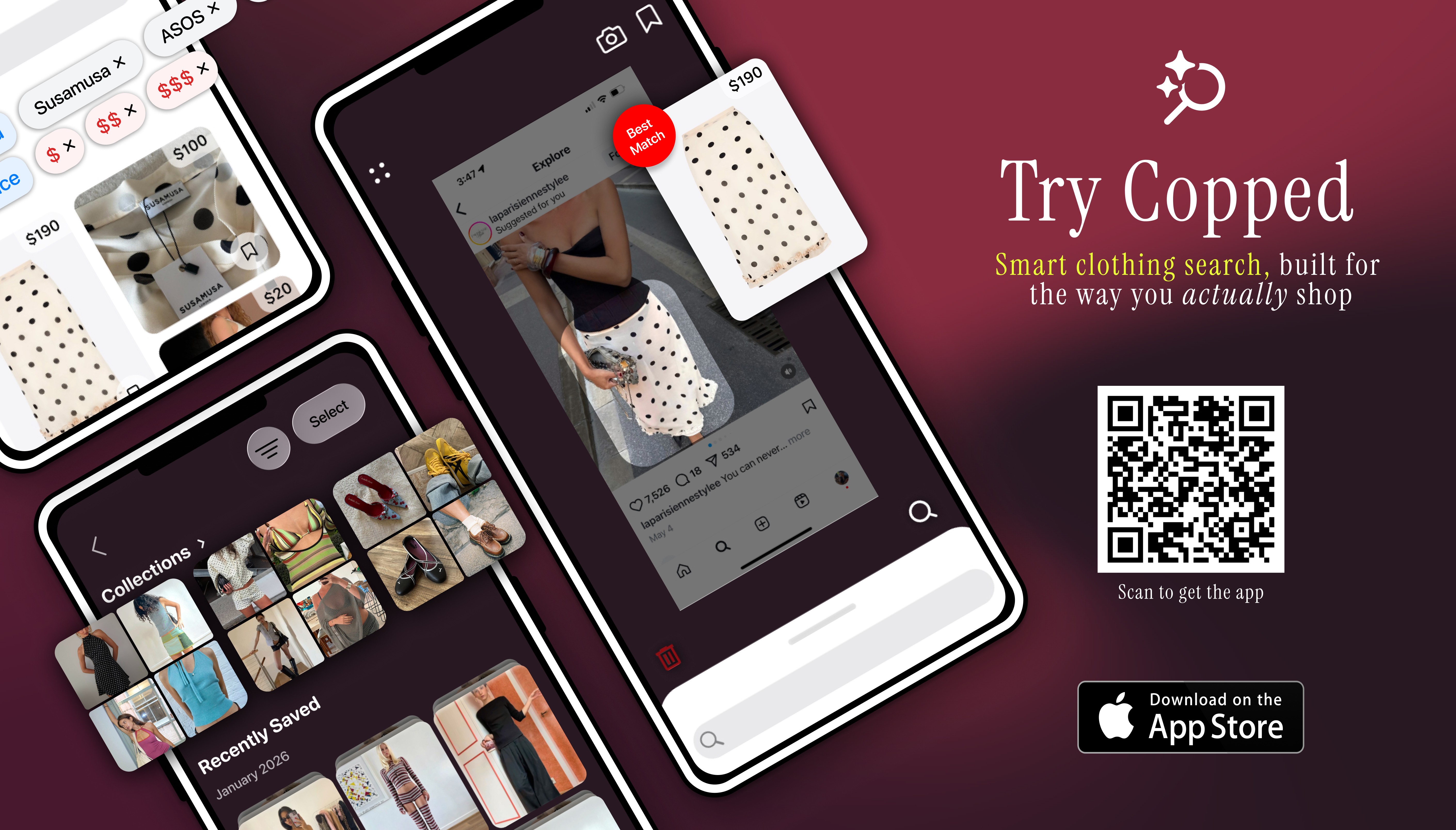
Copped is an AI clothes finder built around the realities of modern fashion discovery — not the idealized version where you have a clean product photo and a clear brand name. It was created in 2025 by two clothing resellers who built the tool they wished existed: one that handles screenshots, searches resale alongside retail, and keeps your finds organized without extra effort.
What sets it apart
Shortcut upload button — send screenshots directly from TikTok, Instagram, Safari, or your camera roll without saving them first
Resale-first results — surfaces matches from Depop, Poshmark, Vinted, and eBay alongside retail, so sold-out items still return results
Fashion-tuned AI — trained specifically on garment attributes, not general web images
Collections + recent history — organize searches into folders and revisit previous finds without losing anything
Text + image refinement — add descriptors like "wide-leg linen trouser" or "90s slip dress" to tighten results when the image alone isn't enough
Queue mode — scan and batch multiple items in a single session, built for thrift hauls
Continuously updated through 2025–26 based on real user behavior
Weaknesses
iOS only
Marketplace coverage is expanding — improves as the dataset grows with use
Best for: iPhone users who regularly discover clothes through screenshots and social media, and want results that include resale — not just retail.
Google Lens — Best Free AI Outfit Finder
iOS / Android · Free · General-purpose

Google Lens is the most accessible AI outfit finder available — built into Android, Google Photos, and the Google app on iOS. It requires no dedicated download and returns instant results from across the web. For quick identification of widely available, common clothing items, it's hard to beat for speed and convenience.
Strengths
Instant results with zero setup
Available on all major platforms
Lets you crop to a specific item within an image
Supports text refinement after the initial scan
Weaknesses
Results heavily skewed toward fast-fashion retailers
Weak on vintage, niche, or resale inventory
No saved history or collections
Not trained specifically for fashion — general image recognition only
Best for: Fast, free lookups of common retail items when resale results and organization tools aren't needed.
Pinterest — Best for Style and Aesthetic Matching
iOS / Android / Web · Free · Inspiration-focused

Pinterest functions less as a direct AI clothes finder and more as a style identification engine. Its visual search is built to help you name and explore an aesthetic — cottagecore, quiet luxury, Y2K — rather than locate a specific product SKU. As The Verge reports, Pinterest's AI visual search tools lead the industry in fashion vibe and aesthetic matching, making it the go-to starting point when you know what something looks like but not what it's called.
Strengths
Excellent at identifying style categories and aesthetics
Strong moodboard and outfit planning tools
Surfaces a wide range of visually similar content for inspiration
Weaknesses
Rarely surfaces the exact product or a direct purchase link
Many pins are reposted without original source attribution
Not designed for purchase-driven search
Best for: Identifying the aesthetic of an item before searching for it in a more purchase-focused AI outfit finder.
Lykdat — Lightweight Web-Based Option
Web only · Retail-focused · Desktop-friendly
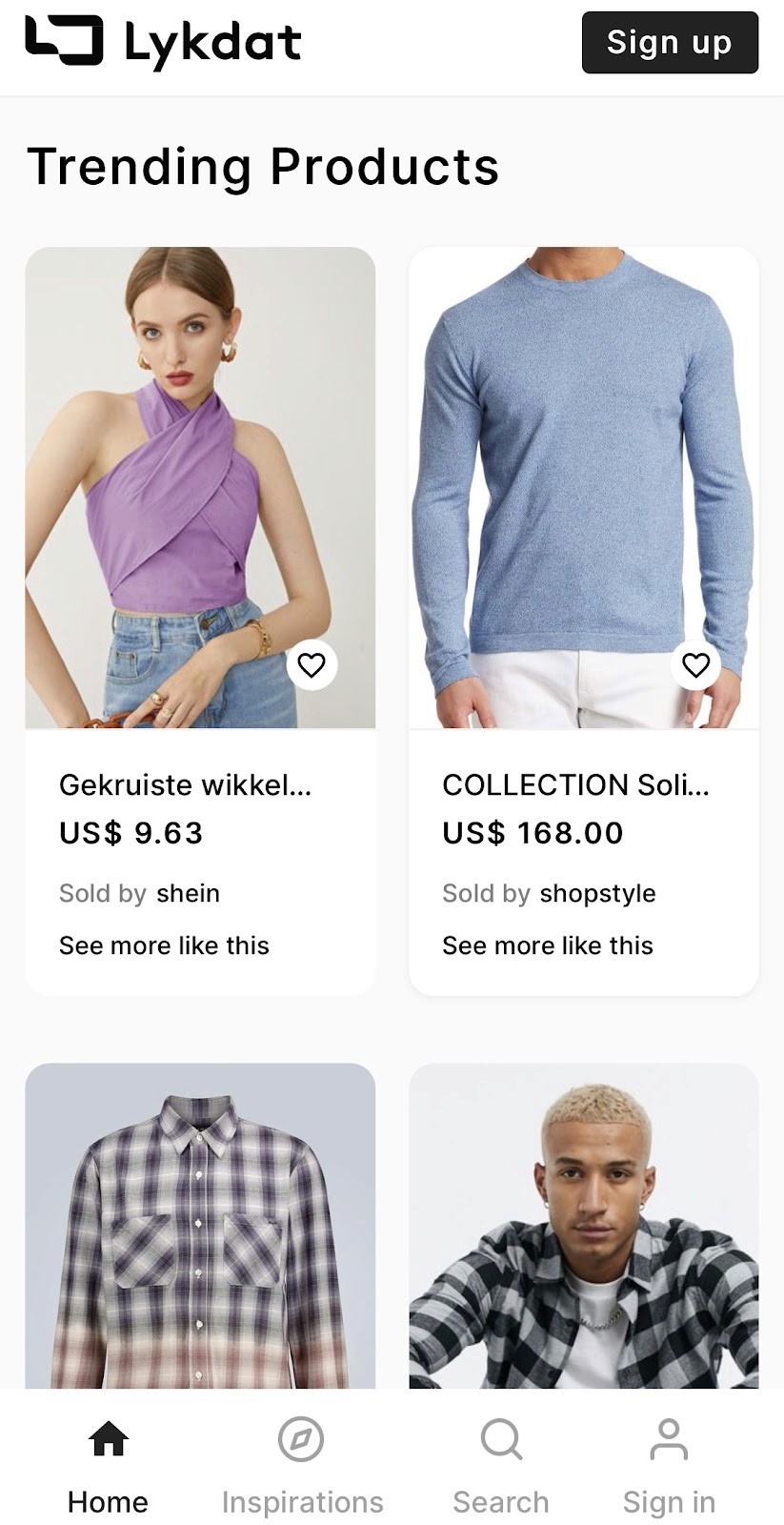
Lykdat is a straightforward web-based AI clothes finder with a clean, no-account-required interface. It matches uploaded photos against mainstream retail inventory and works best on desktop with clear, well-lit product images.
Strengths
Simple, frictionless upload
No account needed
Covers a range of mainstream retail sources
Weaknesses
Web-only — no mobile app
No resale or vintage platform support
Limited accuracy for niche, editorial, or non-retail items
Not optimized for screenshots or mobile-first workflows
Best for: Desktop users wanting a quick, no-setup retail match from a clean product image.
ChatGPT AI Clothes Finder — Best for Garment Description
Web only · Conversational AI · Terminology-focused
The ChatGPT AI Clothes Finder is more useful as a garment identification tool than a direct shopping tool. Upload an image and it breaks down what it sees — silhouette, fabric weight, neckline type, era, aesthetic — in terms precise enough to use in a follow-up visual search elsewhere.
Strengths
High accuracy for interpreting garment details and describing them precisely
Conversational — you can ask follow-up questions to refine the description
Useful as a first step when a visual tool returns irrelevant results
Weaknesses
Returns text descriptions, not visual product matches
Linked product results frequently return 404 errors
No resale platform support
Web-only — not suited for mobile-first discovery workflows
Best for: Generating accurate terminology before running a visual search — especially for unusual, vintage, or heavily styled items that visual tools struggle to interpret.
Which AI Clothes Finder Is Right for You?
The honest answer is that different tools serve different needs — and the best results usually come from combining two.
You shop through screenshots and care about resale → Copped is the AI clothes finder built for exactly this use case — screenshot-native upload, resale-first results, and collections to stay organized
You want something free and instant → Google Lens for fast lookups of common retail items
You know the vibe but not the item → Pinterest to identify the aesthetic, then move to a purchase-focused tool
You can't describe what you're looking at → ChatGPT AI Clothes Finder to generate precise garment terminology first
You're on desktop and want a quick no-fuss lookup → Lykdat for a simple, no-account retail match
The most common effective combination is Copped for fashion-specific AI outfit discovery paired with Google Lens as a quick backup. Together they cover retail speed and resale depth. As ZoiData's analysis of visual search in fashion confirms, AI-powered image discovery is quickly becoming the dominant way shoppers find and purchase clothes online — and tools purpose-built for fashion are increasingly outperforming general-purpose alternatives.
FAQ
What is the best AI clothes finder in 2025?
For most mobile shoppers, Copped is the most capable AI clothes finder available — combining fashion-tuned AI with resale results and a screenshot-native upload flow. For free, quick lookups of common items, Google Lens remains the fastest no-setup option.
Can an AI outfit finder find clothes from a screenshot?
Yes, most tools accept screenshots — but the upload experience varies significantly. Copped's shortcut upload button lets you send screenshots directly from Instagram, TikTok, or Safari without saving to your camera roll first. Other tools require a manual upload step through a browser or in-app interface, which adds friction across repeated searches.
Why does my AI clothes finder keep returning fast-fashion results?
General-purpose tools like Google Lens are trained on the broader web, which is dominated by fast-fashion retailers with massive SEO footprints. Fashion-specific tools return more relevant results because their models are trained on curated garment data rather than general image databases. Adding text descriptors alongside your image can also help narrow results significantly.
Is there an AI clothes finder that searches resale platforms?
Most tools only return retail results. Copped searches Depop, Poshmark, Vinted, and eBay alongside retail inventory, making it the most useful option when the original item is sold out, discontinued, or vintage. Resale results are often the only way to track down items that no longer exist in retail channels.
What's the difference between an AI clothes finder and an AI outfit finder?
An AI clothes finder typically identifies individual garments and matches them to purchasable products. An AI outfit finder goes a step further — analyzing a full look and identifying each component (jacket, top, trousers, shoes) separately. Copped supports both single-item and full outfit discovery from a single photo, making it useful for recreating complete looks as well as tracking down individual pieces.
Does image quality affect AI clothes finder accuracy?
Significantly. Clean lighting, a tight crop around the specific item, and minimal background clutter all improve how accurately the AI reads garment features. When image quality is poor — blurry TikTok screenshots, heavy filters — adding text descriptors alongside the image can compensate. If both fail, uploading to the ChatGPT AI Clothes Finder to generate a precise text description first is a reliable fallback.