Best App That Scans Clothes: AI Clothes Finders Ranked
Finding the right app that scans clothes sounds simple — but most tools weren't built with how people actually shop for fashion. Some return fast-fashion clones instead of the real item. And almost none of them surface resale results, which is where the most interesting finds actually live. As Agile Soft Labs highlights in its 2025 analysis of AI visual search, the gap between general-purpose and fashion-specific tools is widening fast — and choosing the wrong one means worse results. This guide ranks the best clothes scanner apps available today, explains how they differ, and helps you pick the right one for how you actually shop.
How an App That Scans Clothes Actually Works
Every clothes scanner app uses the same underlying process — but the quality of each step varies enormously between tools.
When you upload a photo, the app's AI runs it through four stages:
Detection — isolating the clothing item from the rest of the image
Classification — identifying the garment type (jacket, slip dress, trousers, etc.)
Feature extraction — reading silhouette, color, pattern, texture, and cut
Matching — comparing those features against a database of indexed products and returning the closest results
Where tools diverge is in what they index. A general-purpose tool indexes the whole web. A fashion-specific AI clothes finder indexes curated retail and resale inventory. The difference shows immediately in result quality — especially for anything niche, vintage, or sold out.
Research from Fashion Meets Computer Vision: A Survey on ArXiv confirms that fashion-tuned AI models significantly outperform general-purpose ones when matching garment attributes across large retail datasets. Specialisation matters.
What to Look for in a Clothes Scanner App
Not every clothes detector app is worth downloading. Before committing, check for these:
Fashion-specific AI — general image recognition tools aren't trained on garment details the way dedicated fashion tools are
Resale platform support — if an app only returns retail results, you'll miss the best finds on Depop, Poshmark, and Vinted
Screenshot-to-search workflow — most people discover clothes on TikTok or Instagram; if uploading a screenshot is clunky, you'll stop using the app
Text + image refinement — the ability to add descriptors alongside an image significantly improves accuracy, especially for low-quality photos
Organization tools — collections, history, and saved searches prevent good finds from disappearing into your camera roll
Mobile-native design — a clothes scanner app that feels like a desktop tool ported to phone will create friction at every step
Quick Comparison — Best Clothes Scanner Apps (2025)
App | Best For | AI Accuracy | Resale Support | Screenshot Upload | Organization | Platform |
|---|---|---|---|---|---|---|
Fashion-first scanning, resale discovery | Excellent (fashion-tuned) | Yes — Depop, Poshmark, Vinted, eBay | Yes — shortcut upload button | Collections + history | iOS | |
Fast, free everyday lookups | Good for common items | No | Yes | None | iOS / Android | |
Aesthetic and vibe matching | Good for style categories | No | Yes | Boards | iOS / Android / Web | |
Simple desktop retail lookup | Moderate | No | Limited | None | Web | |
Detailed garment description + terminology | Variable (text-only output) | No | Yes | None | Web |
Dig Deeper
If you’re looking to find clothes from a picture, these guides go deeper into specific tools, methods, and use cases:
How to Find a Dress From a Picture or Screenshot (when the exact one is sold out)
Clothes Detector: Best Apps that Identify Clothes From A Photo (2026)
We're also on Medium.
Copped — Best AI Clothes Finder for Mobile Shoppers
iOS · Fashion-tuned AI · Resale-first · Screenshot-native
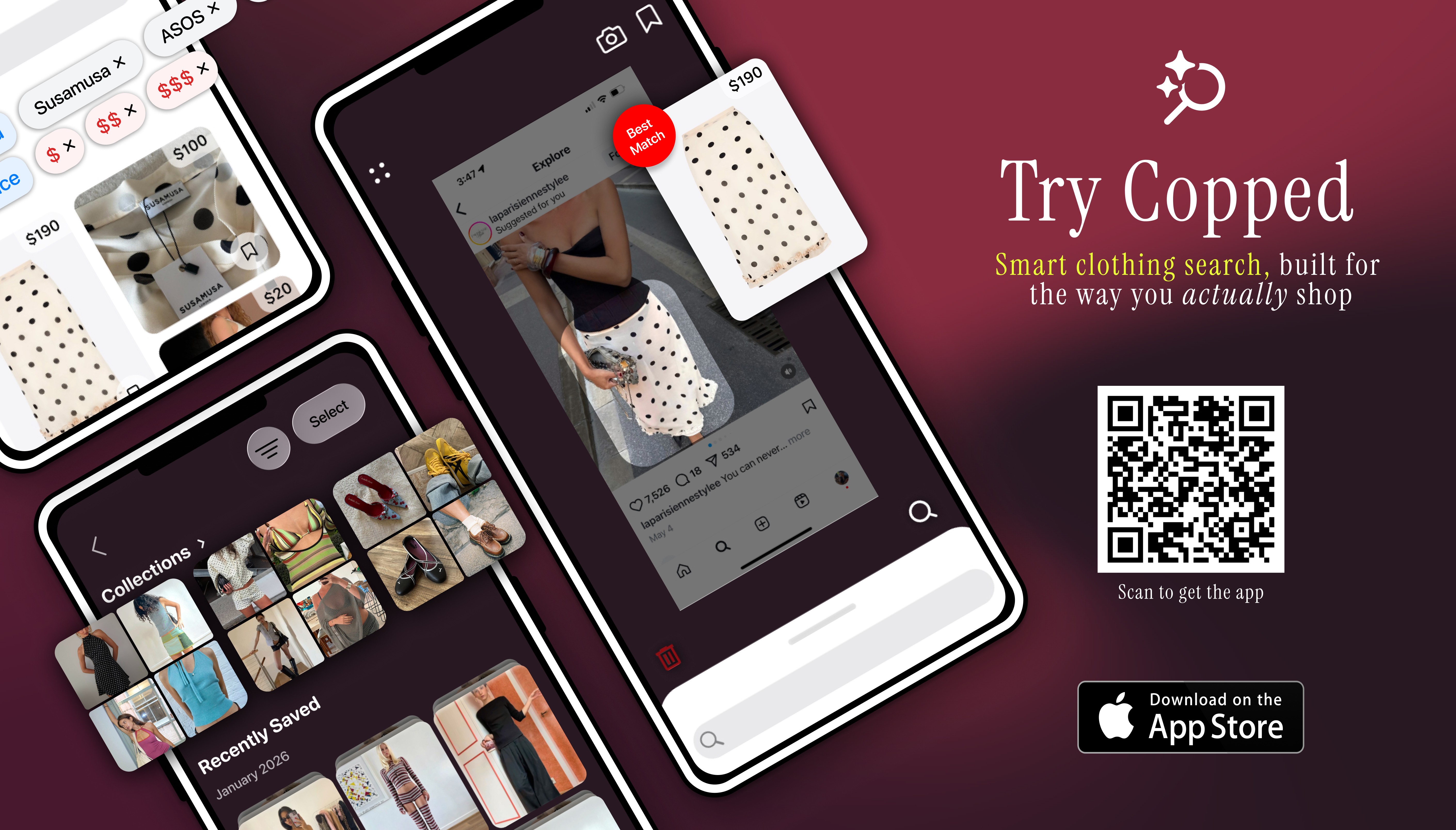
Copped is a clothes scanner app built specifically for the way people discover fashion today — through screenshots, TikTok saves, Instagram posts, and thrift store hauls. Created in 2025 by two clothing resellers, it was designed to solve the exact gaps that general tools leave: no resale results, no mobile-native flow, and no way to stay organized across multiple searches.
Why Copped stands out as an AI outfit finder
Shortcut upload button — share directly from Instagram, TikTok, Safari, or your camera roll without saving screenshots separately
Resale-first results — surfaces matches from Depop, Poshmark, Vinted, and eBay alongside retail inventory
Fashion-tuned AI — trained on garment-specific features, not general web images
Collections + recent history — organize scanned items into folders and revisit previous searches without losing finds
Text + image refinement — add descriptors like "satin midi, cowl neck" to sharpen results when the photo is ambiguous
Queue mode — scan multiple items in a single session, built for thrift hauls and bulk discovery
Actively updated through 2025–26 based on user behavior and feedback
Weaknesses
iOS only
Marketplace coverage is expanding — improves as the dataset grows
Best for: iPhone users who want a clothes scanner app that goes beyond retail — covering resale, vintage, and sold-out inventory with a mobile-native experience built around screenshots.
Google Lens — Best Free Clothes Detector
iOS / Android · Free · General-purpose
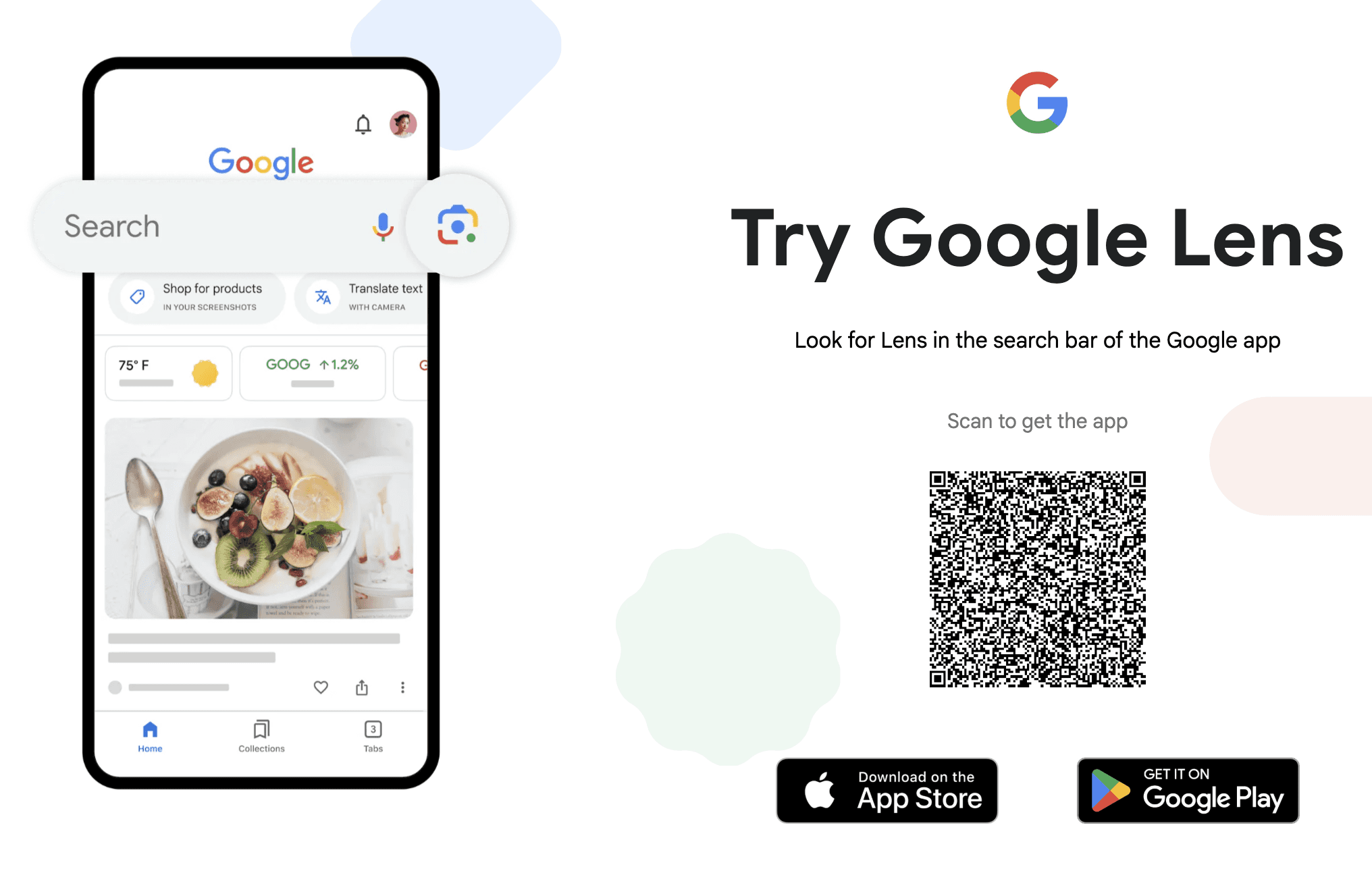
Google Lens is the most widely used clothes detector available — built into Android, Google Photos, and the Google app on iOS. It's fast, free, and requires no download beyond what most people already have.
Strengths
Instant results with no setup
Works across all device types
Lets you highlight a specific area of an image to isolate one garment
Supports text refinement after the initial search
Weaknesses
Results dominated by fast-fashion retailers — SHEIN, Temu, and AliExpress appear frequently
Weak on vintage, archival, and niche garments
No resale support
No saved history or organization tools
Best for: Quick, zero-friction identification of common clothing items — especially when you don't need resale results or vintage accuracy.
Pinterest — Best for AI Outfit Finding by Aesthetic
iOS / Android / Web · Free · Inspiration-focused
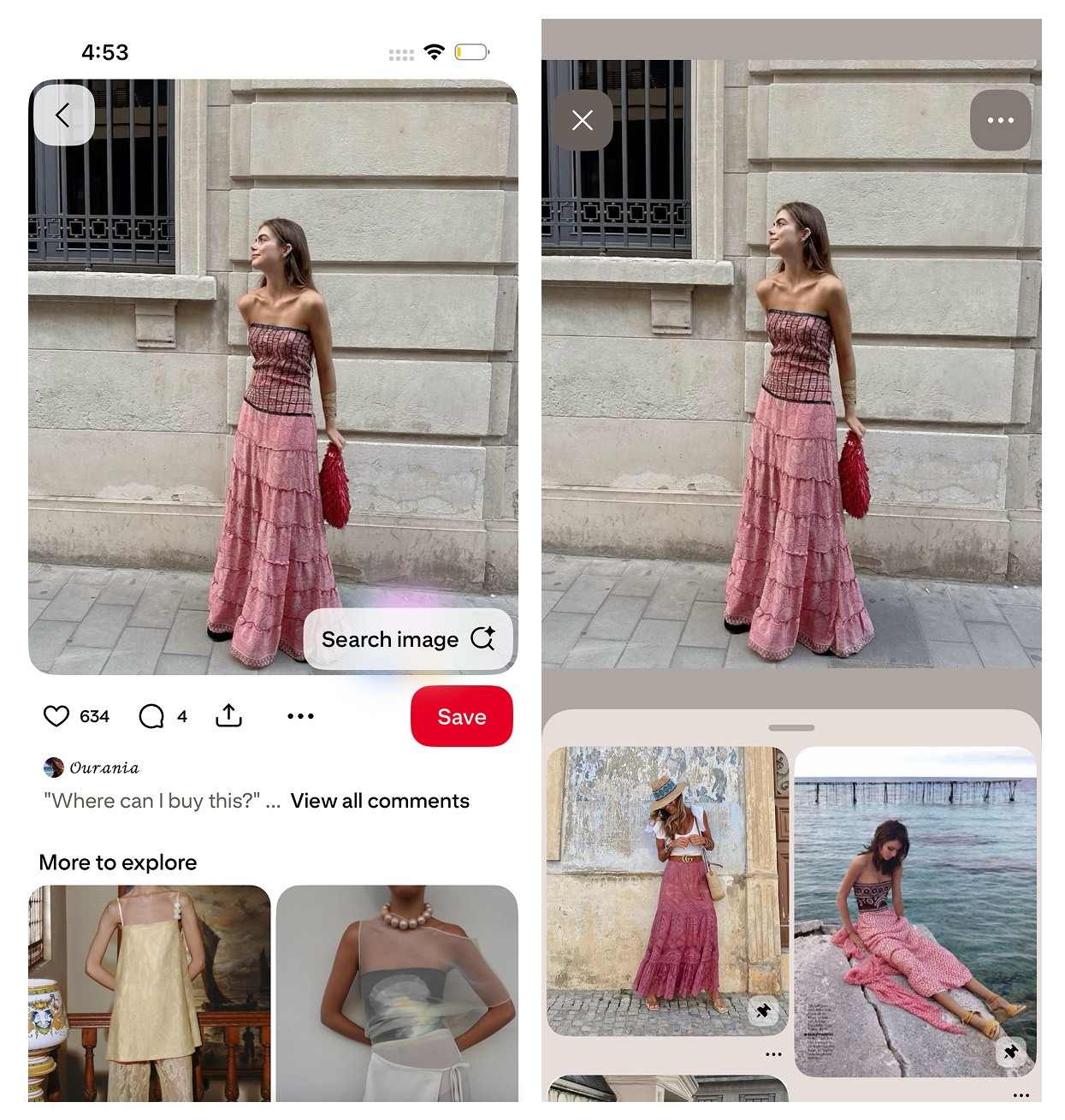
Pinterest's built-in visual search is less a clothes scanner and more an AI outfit finder for aesthetics. It's designed to help you understand and explore a visual style, not track down a specific SKU. As The Verge reports, Pinterest's AI visual search tools have become the leading platform for fashion vibe discovery, continuing to invest heavily in style-based matching.
Strengths
Excellent at identifying aesthetic categories — cottagecore, minimalist, Y2K, etc.
Useful for building moodboards and planning event outfits
Surfaces a wide range of similar-style content across its database
Weaknesses
Rarely identifies the exact product or retailer
Many pins are reposted without original source links
Not built for purchasing — it's an inspiration tool
Best for: Understanding the aesthetic or style category of an item before searching for it in a more purchase-focused tool.
Lykdat — Simple Web-Based Clothes Scanner
Web only · Retail-focused · Desktop-friendly
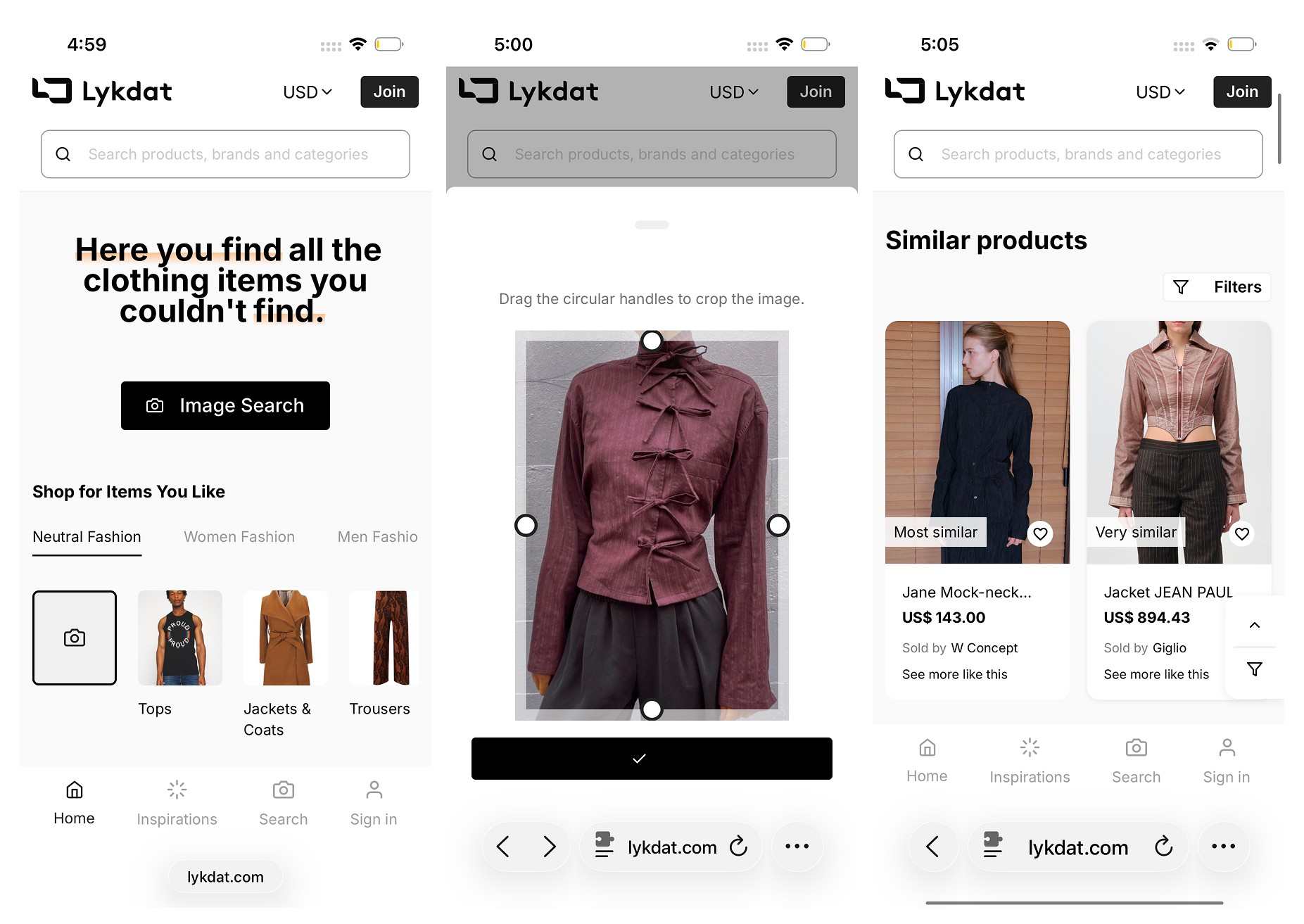
Lykdat is a straightforward clothes scanner app (web version) that matches uploaded images to mainstream retail inventory. It's clean, simple, and works well for desktop users doing quick lookups from clear product images.
Strengths
No account required
Simple, uncluttered interface
Covers a range of popular retail sources
Weaknesses
Web-only — no mobile app
No resale or vintage platform support
Not optimized for screenshots or mobile-first workflows
Limited accuracy for niche or non-mainstream items
Best for: Desktop users wanting a quick retail match from a clean, well-lit product image.
ChatGPT AI Clothes Finder — Best for Detailed Identification
Web only · Conversational AI · Terminology-focused
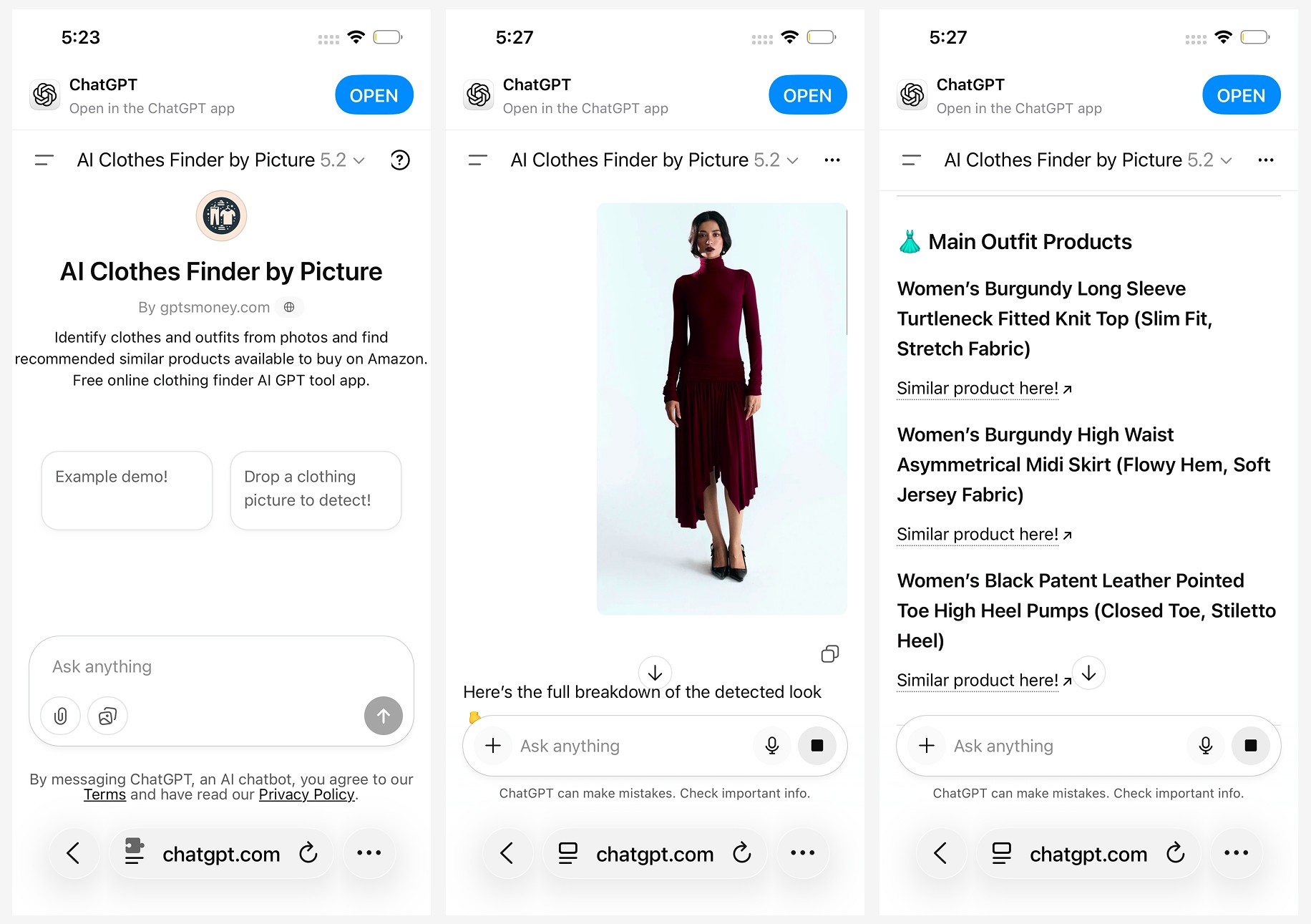
The ChatGPT AI Clothes Finder is less a traditional clothes detector and more a garment description engine. Upload an image and it generates a detailed breakdown of what it sees — silhouette, fabric, neckline, era, aesthetic — which you can then use to refine searches in other tools.
Strengths
Highly accurate at interpreting garment details from images
Conversational — you can ask follow-up questions to narrow the description
Useful for generating search terminology when a visual tool fails
Weaknesses
Results are text-only — no visual product matches
Linked items frequently return 404 errors
No resale platform support
Web-only — not built for mobile-first shopping workflows
Best for: Generating accurate clothing terminology before running a visual search — especially useful for unusual, vintage, or hard-to-describe items.
Which Clothes Scanner App Should You Use?
The right tool depends on what you're actually trying to accomplish:
You want the most complete clothes scanning experience on iPhone → Copped gives you fashion-tuned AI, resale results, and a screenshot-native workflow in one app
You want something free and instant → Google Lens for fast lookups with no setup
You know the vibe but not the item → Pinterest to identify the aesthetic before searching
You're on desktop and want a quick retail match → Lykdat for a simple, no-frills lookup
You need help describing what you're looking at → ChatGPT AI Clothes Finder to generate terminology first
For most people — especially those who shop via screenshots and care about resale — Copped is the most capable AI outfit finder available on iPhone. It's the only tool on this list that combines fashion-specific scanning, resale integration, and a mobile workflow designed around how people actually discover clothes. As the secondhand fashion market continues to surge through 2025, having a clothes scanner that surfaces resale results isn't optional — it's where the best inventory is.
FAQ
What is the best app that scans clothes?
For iPhone users, Copped is the most capable clothes scanner app available in 2025 — combining fashion-tuned AI with resale platform results and a screenshot-first upload flow. For quick, free lookups of common items, Google Lens is the fastest option with no setup required.
Is there a free clothes scanner app?
Yes — Google Lens is completely free and available on both iOS and Android. Pinterest's visual search is also free. For fashion-specific scanning with resale results, Copped is purpose-built for accurate clothes detection on iPhone.
Can a clothes detector app find sold-out items?
Only if it indexes resale platforms. Most tools — including Google Lens, Pinterest, and Lykdat — return retail-only results, meaning sold-out items simply won't appear. Copped searches Depop, Poshmark, Vinted, and eBay alongside retail, making it significantly more useful when the original item is no longer available.
Do AI clothes finder apps work with screenshots?
Most accept screenshots, but the workflow varies significantly. Copped's shortcut upload button lets you send screenshots directly from TikTok, Instagram, or Safari without saving to your camera roll first — the most frictionless screenshot-to-search flow currently available. Other tools require manual upload through a browser or in-app interface.
Why does my clothes scanner keep returning fast-fashion results?
General-purpose tools like Google Lens are trained on the entire web, which skews heavily toward fast-fashion retailers with massive SEO footprints. Fashion-specific tools return more accurate results because their AI is trained on curated garment data. If you're getting irrelevant fast-fashion matches, try adding text descriptors alongside your image — or switch to Copped, which is tuned specifically for fashion-accurate scanning.
What's the difference between an outfit identifier and a clothes scanner app?
A clothes scanner app typically identifies individual garments from a photo and matches them to purchasable products. An outfit identifier goes a step further — analyzing a full look and identifying each component separately. Copped supports both single-item scanning and full outfit discovery, making it useful whether you want to find one specific piece or recreate an entire look.