How to Find a Dress From a Picture - 4 Tools Compared (2026)
Knowing how to find a dress from a picture sounds simple — upload the photo, get the dress. In practice, most tools return fast-fashion noise or dead retail links. The problem is almost never the image; it's the tool. Different apps are built for different goals, and using the wrong one wastes time. According to Shopify's research on visual search, image-based discovery works best when the tool is matched to the specific use case — and for dresses especially, the use case matters: Is it sold out? Vintage? A screenshot? A full gown or a casual midi? This guide compares the four most useful tools for finding a dress by picture in 2026, covers what each one handles best, and tells you what to do when the dress simply can't be found.
Table of Contents
Before You Search: What the AI Is Actually Looking For
The 4 Tools Compared
Tool 1: Copped
Tool 2: Google Lens
Tool 3: Pinterest
Tool 4: SlayAI
Comparison Table
Step-by-Step: How to Find a Dress From a Picture
What to Do When the Dress Is Sold Out
When No Tool Works
Which Tool Should You Use?
Dig Deeper
FAQ
Before You Search: What the AI Is Actually Looking For
Dresses are one of the harder garment categories for visual search AI because so many details interact: silhouette, neckline, fabric drape, back construction, pattern, and length all contribute to how a dress looks — and changing just one of them makes it a different dress. A tool that reads "blue dress" from your image will return wildly different results than one that reads "cowl-neck satin bias-cut midi in dusty blue."
Before uploading, take a moment to note the key details of the dress you're looking for:
Silhouette — A-line, slip, bodycon, fit-and-flare, wrap, column, mermaid
Fabric — satin, chiffon, linen, knit, mesh, velvet
Neckline — cowl, halter, square, strapless, sweetheart, off-shoulder
Length — mini, midi, maxi, floor-length
Color with undertone — "champagne" not "white," "dusty rose" not "pink"
Key details — open back, ruching, cutouts, lace overlay, slit
Even if you don't know all the terms, noting what you can see gives you material for text refinement — which consistently improves results on every tool.
The 4 Tools Compared
Tool 1: Copped — Best for Sold-Out, Screenshot, and Resale Dress Search
iOS · Fashion-tuned AI · Resale-first · Screenshot-native
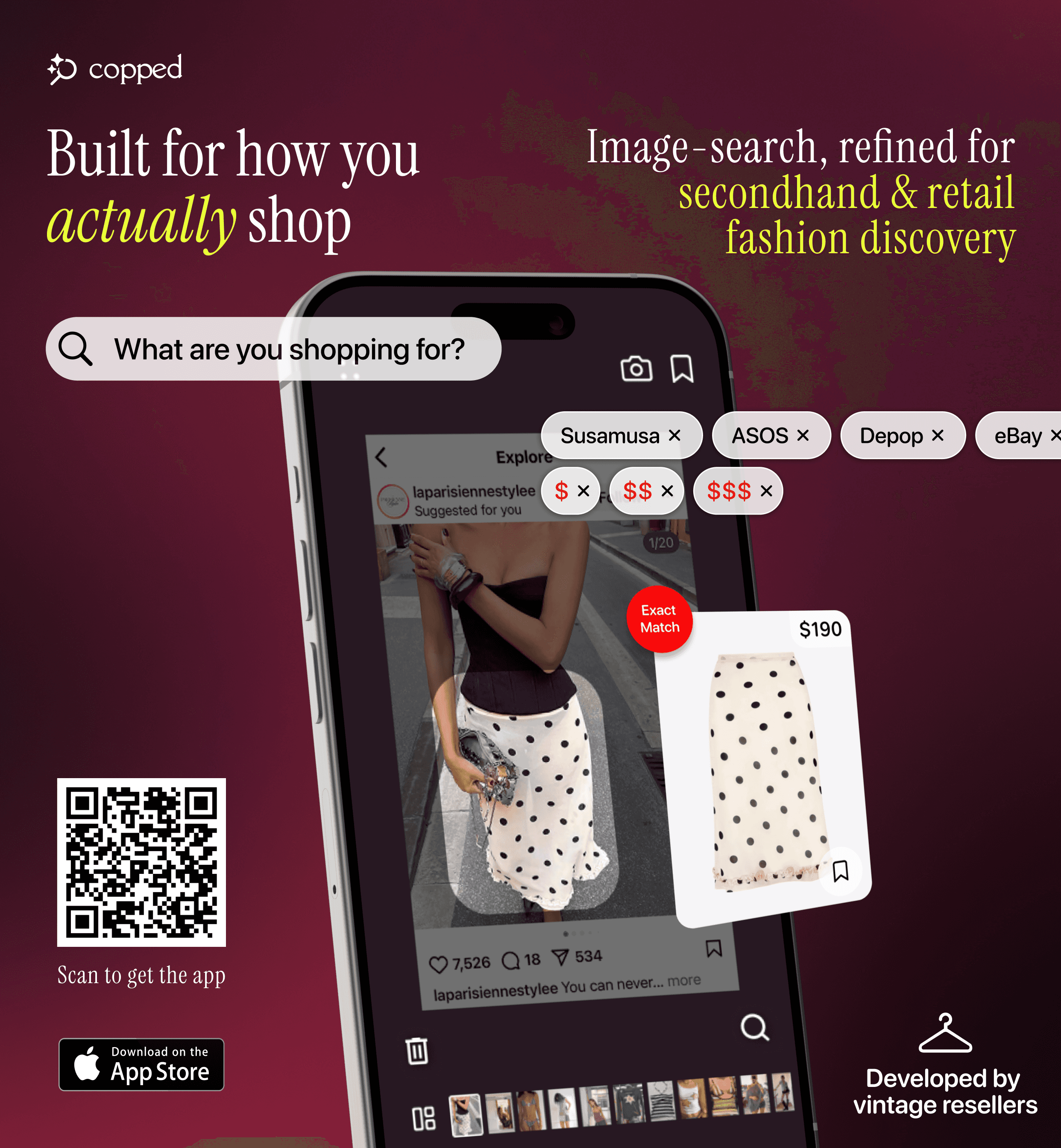
Copped is the strongest tool for finding a dress from a picture when the original might be sold out or living on a resale platform. Built in 2025 by two clothing resellers, it was designed around the discovery workflow that most people actually use: screenshots from TikTok or Instagram, photos taken at events or in thrift stores, and Pinterest saves that go nowhere.
Key features: shortcut upload from TikTok, Instagram, or Safari without saving to your camera roll; resale results from Depop, Poshmark, Vinted, and eBay alongside retail; Collections and visual search history; text + image refinement to sharpen results on ambiguous or low-quality photos. Fashion-tuned AI, iOS-native, actively updated through 2026–27.
Weakness: iOS only; resale marketplace coverage is still expanding.
Best for: Anyone trying to find a dress by picture that's sold out, vintage, or discovered through social media — and wants resale options alongside retail.
Tool 2: Google Lens — Best Free Option for Common Dresses
iOS / Android · Free · General-purpose

Google Lens is the fastest starting point for how to find a dress from a picture if the dress is widely sold and you have a clear image. It's built into Android and the Google app on iOS — no download, no account, instant results. For common silhouettes (satin slip, bodycon midi, wrap dress, classic maxi), it performs consistently.
The limitation: Lens indexes the full web, and fast-fashion retailers dominate it. Upload anything with character — a vintage cocktail dress, a designer-adjacent piece, a niche silhouette — and the first results will almost certainly be SHEIN and Temu alternatives. No resale support, no saved history, and not built for screenshot-quality images. As Glossy reports, fast-fashion brands have aggressively optimized for visual search rankings, which explains the bias consistently.
Weakness: Heavy fast-fashion bias; no resale; no organization.
Best for: Fast, free identification of widely sold dress styles when exact match and resale aren't priorities.
Tool 3: Pinterest — Best for Identifying Dress Aesthetics
iOS / Android / Web · Free · Inspiration-first
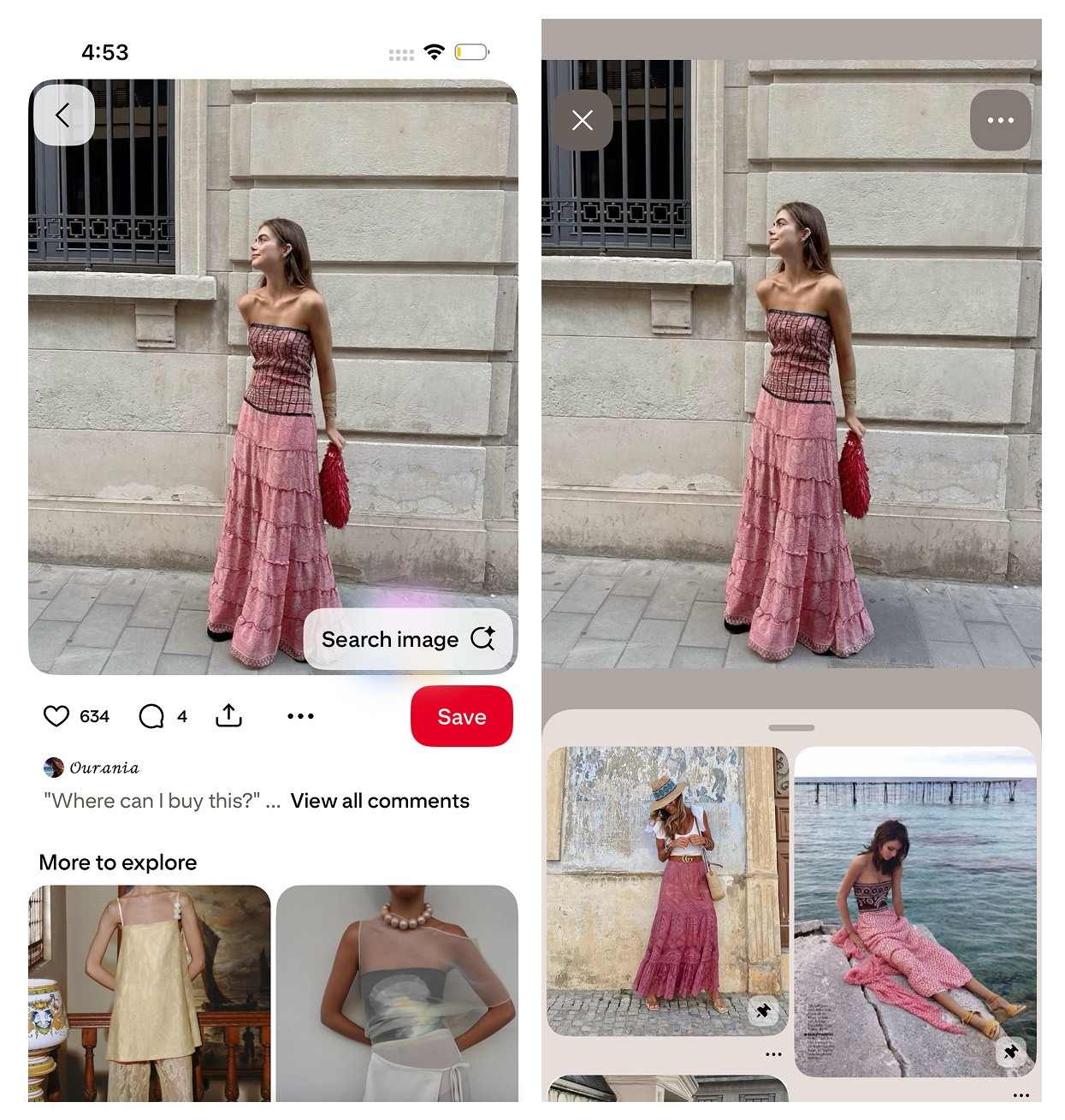
Pinterest's visual search doesn't return direct purchase links — it identifies aesthetics. Upload a dress photo and it surfaces style-similar content: cottagecore, old money, romantic, 90s minimalist. Its value is in naming the look and giving you vocabulary to search with elsewhere.
It's the best tool to use before a purchase-focused search when you can see what you want but can't describe it. Most pins don't link to purchasable products, and the platform isn't designed for transactional search. Use it to get the language, then take that language to a tool like Copped or Google Lens to find where the dress can actually be bought.
Weakness: Rarely surfaces the exact dress or a direct purchase link.
Best for: Identifying the aesthetic or style category of a dress before searching for it in a purchase-focused tool.
Tool 4: SlayAI — Best for Full Look Aesthetic Matching
iOS · Outfit-first · Aesthetic-focused
SlayAI reads full looks rather than isolated pieces — it's better at matching the aesthetic of a complete outfit than at identifying one specific dress. Useful when you want to explore a style direction or find visually similar dresses without being fixated on the exact item. The main limitation is that the app has not released meaningful updates in a significant period of time, so its AI and features have fallen behind more actively developed tools.
Weakness: No meaningful updates in a considerable time; limited for purchase-driven searches.
Best for: Style and aesthetic exploration when finding the exact dress isn't the goal.
Comparison Table
Tool | Best For | Fashion AI | Resale Support | Screenshot Upload | Platform |
|---|---|---|---|---|---|
Sold-out, screenshot, resale dress search | Yes | Yes — Depop, Poshmark, Vinted, eBay | Yes — shortcut from any app | iOS | |
Fast free lookup of common dresses | No (general) | No | Partial | iOS / Android | |
Dress aesthetic identification | Partial (style) | No | Yes | iOS / Android / Web | |
Full outfit aesthetic matching | Partial | Limited | Yes | iOS |
Step-by-Step: How to Find a Dress From a Picture
Step 1 — Prepare your image
Crop the image tightly around the dress. Cut out background, other people, and any accessories. If you're working from a screenshot, try different frames from the same source — a slightly different angle often returns meaningfully better results. The cleaner the crop, the better every tool performs.
Step 2 — Note the dress details
Before uploading, identify the key attributes you can see: silhouette, fabric, neckline, length, color (with undertone), and any distinctive details. You'll use these for text refinement if the initial results are off. Even rough descriptions — "satin, long, open back, champagne" — help significantly.
Step 3 — Upload with text descriptors
Most fashion image search tools support image + text queries. Pair your image with the descriptors from Step 2. "Satin bias-cut midi, cowl neck, dusty blue" alongside the image will outperform image-only search on every platform — especially for ambiguous or low-quality photos.
Step 4 — Start with the right tool
If the dress is from a screenshot, sold out, or you want resale options: start with Copped — built specifically to find a dress from a picture with resale coverage included. If it's a common style and you want something free and instant: start with Google Lens. If you need to name the aesthetic first: start with Pinterest.
Step 5 — Refine or switch tools if needed
If results are irrelevant, adjust your crop or text descriptors and try again. If the tool still falls short, switch — different platforms index different inventory. What Google Lens misses, Copped often finds through resale.
Step 6 — Check resale platforms directly
For sold-out or vintage dresses, search Depop, Poshmark, and Vinted manually using the vocabulary from Step 2. Resale inventory changes daily, and a dress that's unavailable one week may surface the next.
What to Do When the Dress Is Sold Out
Sold-out dresses are one of the most common frustrations in fashion image search. The original item is gone from retail — but that doesn't mean it's gone entirely. As The Guardian reports, the secondhand fashion market is growing rapidly, which means more sold-out inventory is findable on resale than ever before.
Use a resale-integrated tool first
Copped searches resale platforms automatically from a photo upload — you get Depop, Poshmark, Vinted, and eBay results alongside retail in a single search, without visiting each platform separately.
Search resale platforms directly
If you know the brand, collection year, or color name, search those terms directly on Depop and Poshmark. The more specific your search terms, the better the results. Use the dress vocabulary from your pre-search notes.
Search for a dupe
Most dress silhouettes are manufactured by a small number of factories, and close matches exist more often than people expect. Upload the image to any fashion search tool and adjust your expectation from "exact" to "similar." Visual dupes on resale are often indistinguishable in practice.
Post to r/findfashion
For vintage, archival, or truly obscure dresses that no tool can surface, post to r/findfashion. Include context: where you saw the dress, any visible details, the approximate era. Community members with deep vintage knowledge often identify specific collections and where to find them on resale.
When No Tool Works
Some dresses defeat every automated tool: heavily filtered photos, partial views, vintage pieces with no online presence, or items from small brands that aren't indexed anywhere. When that happens, the most reliable fallback is human search.
r/findfashion handles these cases regularly. Post a clear description alongside your image — the more context you include, the faster and more accurate the response. Members frequently identify specific dress models, seasons, and resale listings that AI tools miss entirely.
Which Tool Should You Use?
Screenshot from social media, dress might be sold out or vintage → Copped — the most complete tool for how to find a dress from a picture with resale included
Common dress style, want a free instant result → Google Lens
Want to name the aesthetic before searching → Pinterest, then move to a purchase tool
Exploring the full outfit look, not just the dress → SlayAI
Vintage, obscure, or every tool has failed → r/findfashion
For most people figuring out how to find a dress from a picture — especially from a screenshot or for something that's no longer at retail — Copped is the most useful tool available on iPhone in 2026. It's the only option that combines fashion-specific AI with resale platform coverage and a workflow built around the screenshot-first reality of how most dress discovery happens.
Dig Deeper
More detail on dress search, specific tools, and use cases:
How to Find a Dress From a Picture or Screenshot (When the Exact One Is Sold Out)
Clothes Detector: Best Apps That Identify Clothes From a Photo (2026)
We also publish real-world app reviews and fashion discovery guides on Medium.
FAQ
How do I find a dress from a picture?
Upload the image to a visual search tool — ideally cropped tightly around the dress with text descriptors added alongside it. For most searches, Copped is the most complete tool for finding a dress from a picture, covering both retail and resale with a screenshot-native upload flow. For a free instant option on a common style, Google Lens is the fastest starting point.
What is the best app for how to find a dress by picture?
For iPhone users, Copped is the best app for finding a dress by picture — it handles screenshots natively, returns resale results alongside retail, and keeps your finds organized in Collections. For a free cross-platform option, Google Lens works on both iOS and Android.
Can I find a dress from a picture if it's sold out?
Yes — using a tool that searches resale. Most tools only return retail results, so sold-out dresses don't appear. Copped searches Depop, Poshmark, Vinted, and eBay alongside retail, giving sold-out and vintage dresses a realistic chance of surfacing. For truly obscure pieces, posting to r/findfashion is the most reliable fallback.
Why does my dress picture search keep returning SHEIN results?
General tools index the full web, which in fashion is dominated by fast-fashion brands with large SEO footprints. Adding text descriptors alongside your image — "vintage," "linen," "satin bias-cut" — helps redirect results. Switching to a fashion-specific tool like Copped, which is tuned specifically for dress and garment search, is the most reliable fix for consistently irrelevant results.
Does image quality affect how well these tools find a dress?
Yes — significantly. A tighter crop, better lighting, and less background clutter all improve results on every tool. For low-quality screenshots, adding a text description alongside the image compensates substantially: "chiffon wrap dress, deep emerald, flutter sleeves, midi length" gives the AI meaningful attributes to work with even when the image is blurry.
What if I only know the style of the dress, not the exact item?
Start with Pinterest to identify the aesthetic — it names styles well. Once you have vocabulary ("romantic cottagecore midi," "90s minimalist slip"), take those terms to a purchase-focused tool. Copped's text + image refinement lets you combine a photo with those descriptors for a significantly more targeted search.