How to find outfits from pictures (the easy way)
Trying to find outfits from pictures used to mean hours of scrolling and guessing — reverse image search, vague keyword attempts, and dead ends. In 2026, that's changed. Visual search AI can read an image, identify the garments, and return shoppable results in seconds. The catch: not every tool does this well for fashion. Most were built for general image search, and they reflect that in their results — fast-fashion clones, irrelevant matches, and no access to resale inventory. According to Forbes, fashion-specific AI is rapidly separating from general image search in both accuracy and commercial relevance — and the difference is immediately obvious. This guide covers every method that actually works, from the fastest free option to the most complete fashion-specific tool, plus the situations where human search still beats AI.
Table of Contents
Why Finding Outfits From Pictures Is Harder Than It Should Be
How the Technology Actually Works
Method 1: Fashion-Specific Apps — The Most Reliable Option
Method 2: Google Lens — Fast, Free, and Limited
Method 3: Pinterest — For Naming the Aesthetic First
Method 4: SlayAI — For Full Outfit Matching
Method 5: Desktop Web Tools
Method 6: Community Search — When AI Fails
Step-by-Step: How to Find Any Outfit From a Picture
What to Do When the Outfit Is Sold Out
Finding Full Outfits vs Single Items
Comparison Table
Which Method Should You Use?
Dig Deeper
FAQ
Why Finding Outfits From Pictures Is Harder Than It Should Be
The problem isn't the technology — it's the mismatch between what general tools are built for and what fashion shoppers actually need.
Most image search engines were designed to find where an image appears on the web, or to return broadly similar images. For finding an outfit to buy, that's the wrong starting point. Fashion discovery in 2026 happens through screenshots from TikTok, Instagram saves, Pinterest boards, and candid street style photos. These images are often low-resolution, cropped imperfectly, or taken at an angle that would confuse any system that wasn't designed to handle them.
Add to that the resale problem: a significant portion of the best clothing finds — vintage pieces, sold-out styles, limited releases — don't live on retail sites at all. They're on Depop, Poshmark, Vinted. A tool that only searches retail inventory misses that entire market. As The Guardian reports, the secondhand fashion market is surging in 2025 and beyond — making resale-integrated search more important than ever.
And then there's the fast-fashion bias. General tools index the full web, and the full web in fashion is dominated by brands with massive SEO budgets. Upload anything to Google Lens and the first row of results is almost always SHEIN and Temu — regardless of what you actually uploaded.
The methods below address these problems directly.
How the Technology Actually Works
Understanding what visual search AI does helps explain why some tools return far better results than others for finding outfits from pictures.
When you upload a photo, the AI runs it through four stages:
Segmentation — isolating clothing items from the background and other elements in the frame
Attribute extraction — reading visual features: silhouette type, color and undertone, fabric texture, pattern, neckline, cut, era
Vector matching — converting those features into a data representation and comparing against millions of indexed products
Results ranking — returning the closest visual matches from the tool's inventory database
The difference between a general tool and a fashion-specific one shows up in steps two and four. General AI treats a blazer the same as a lamp — as an object in a category. Fashion-trained AI reads the difference between a structured oversized blazer and a relaxed one, between satin and silk-like polyester, between a true bias cut and a straight cut with drape. As Fashion Meets Computer Vision research on ArXiv confirms, fashion-tuned models significantly outperform general models on garment attribute tasks.
Step four is equally important: the database matters as much as the AI. A tool that only indexes retail sites will never surface resale results, no matter how accurate its detection is.
Method 1: Fashion-Specific Apps — The Most Reliable Option
For most people trying to find outfits with pictures and actually buy what they find, a dedicated fashion app delivers the most relevant results — especially when the outfit is sold out, vintage, or discovered through social media.
Copped — best overall for finding outfits from pictures on iPhone
Copped is the most complete app for finding outfits from pictures in 2026. It was built by two clothing resellers in 2025 specifically to solve the problems that general tools create: fast-fashion bias, no resale coverage, and a workflow that doesn't fit screenshot-based discovery.
What makes it work for outfit finding:
Shortcut upload button — share directly from TikTok, Instagram, Safari, or your camera roll without saving screenshots first
Resale-first results — surfaces matches from Depop, Poshmark, Vinted, and eBay alongside retail, so sold-out and vintage pieces have a real chance of appearing
Fashion-tuned AI — trained on garment attributes, not general web imagery, which returns more accurate matches for niche silhouettes, fabrics, and styles
Collections + visual search history — save and organize found outfits into folders; revisit previous searches without starting over
Text + image refinement — add descriptors like "oversized linen, wide leg, off-white" to sharpen results when the image is low-quality or ambiguous
Queue mode — scan multiple outfits in one session, ideal for thrift hauls and batch discovery
Actively updated through 2026–27 based on real user behavior
Weakness: iOS only; resale marketplace coverage is still expanding.
Best for: iPhone users who regularly discover outfits through screenshots and want results from resale platforms, not just retail.

Method 2: Google Lens — Fast, Free, and Limited
Google Lens is the most accessible starting point for finding outfit from picture searches — already on your phone, zero setup, instant results. It analyzes the visual content of any image and returns similar results from across the web.
For common, widely sold items — a classic white blazer, a standard midi dress, a basic denim jacket — it returns relevant results quickly. The limitation is structural: Lens indexes the full web, which means fast-fashion retailers with large SEO budgets dominate results regardless of what you upload. No resale coverage, no saved history, not optimized for social media screenshots.
Use it as a first pass. Switch to a fashion-specific tool when results are irrelevant. As Glossy reports, fast-fashion brands have aggressively optimized for visual search rankings — which explains why they appear so consistently in Lens results.
Best for: Quick, free identification of mainstream items when resale and organization don't matter.

Method 3: Pinterest — For Naming the Aesthetic First
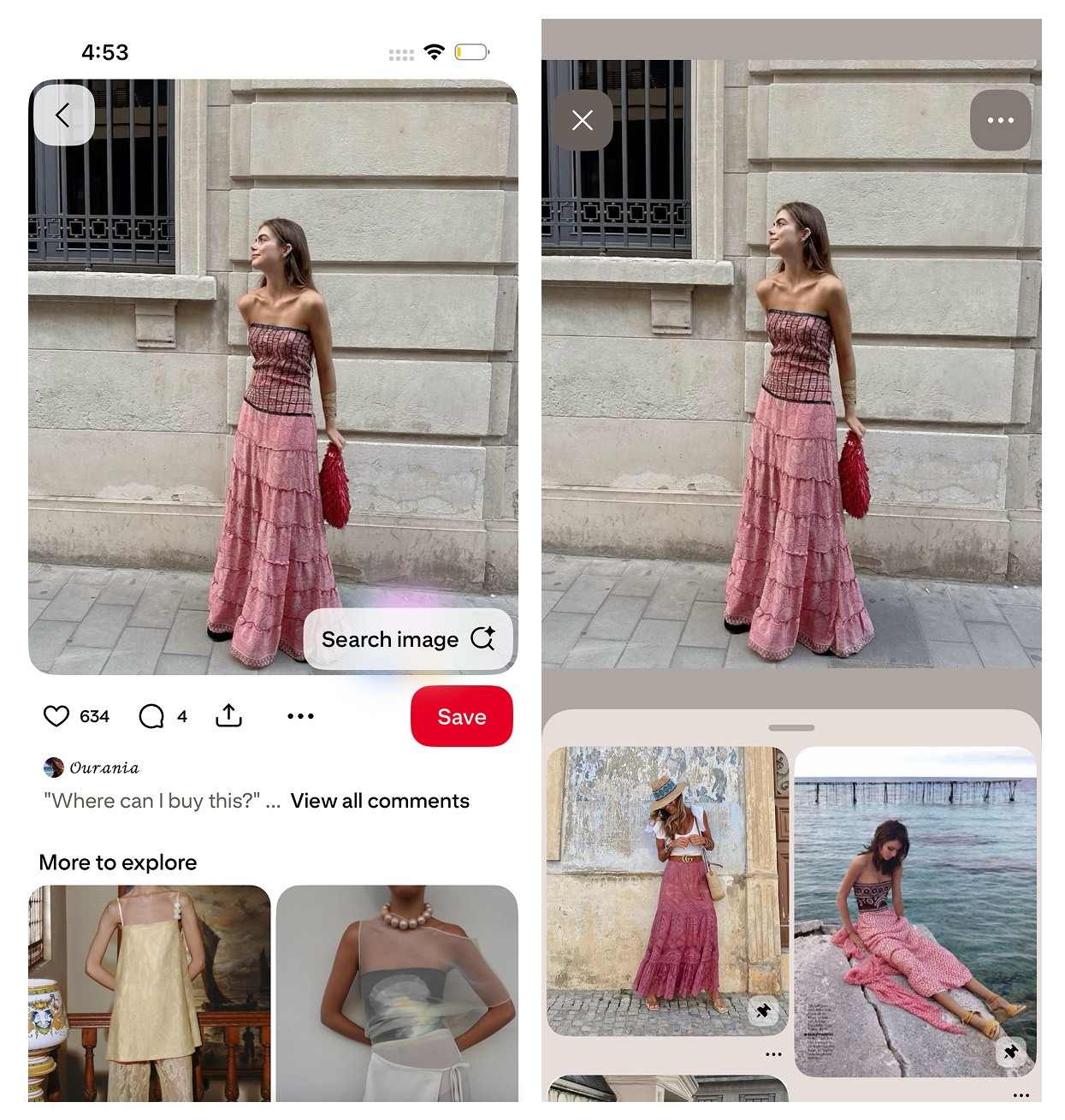
Pinterest's visual search doesn't return purchasable product links — it identifies aesthetics. Upload an outfit photo and it surfaces style-similar content: cottagecore, quiet luxury, Y2K, coastal grandmother, Parisian minimalist. It's the strongest tool available for naming a look when you can see it but can't describe it.
Use Pinterest as a before step: identify the aesthetic, get the vocabulary, then take those search terms to a purchase-focused tool. Most pins don't link directly to products, and the platform isn't built for transactional search. It's inspiration infrastructure — valuable as a first step, not a final one.
Best for: Naming the style or aesthetic of an outfit before searching for it elsewhere.
Method 4: SlayAI — For Full Outfit Matching
SlayAI takes an outfit-first approach — it reads complete looks aesthetically rather than isolating individual pieces. This makes it more useful for discovering visually similar outfits than for tracking down one specific garment. The main limitation is that the app has not released meaningful updates in a significant period of time, which means its AI and feature set have fallen behind more actively developed tools. It remains a reasonable option for aesthetic outfit exploration, but it's not the strongest choice for purchase-driven searches.
Best for: Outfit aesthetic exploration when you want inspiration over precision.
Method 5: Desktop Web Tools
Lykdat is the most straightforward desktop option — a clean, no-account web tool that matches uploaded clothing photos against mainstream retail inventory. Upload a clear product image and get retail results. Works well on desktop, web-only, no resale, not built for screenshots or mobile workflows.
Best for: Desktop users with a clear product photo who want a quick no-fuss retail match.
Method 6: Community Search — When AI Fails
Every AI tool has a ceiling. Vintage pieces with no online presence, heavily edited photos, obscure small-brand items, partial views from grainy TikTok screenshots — these are cases where automated fashion search consistently fails. r/findfashion is the most reliable resource when every tool has returned nothing useful.
The community specializes in outfit identification: post your image with context (where you saw it, any visible details, the approximate era), and members — many of whom are fashion-literate resellers and enthusiasts — usually respond within hours. They frequently go further than identification, suggesting specific search terms, platforms, and resale listings to follow up on.
Best for: Any outfit that no automated tool has been able to identify.
Step-by-Step: How to Find Any Outfit From a Picture
This process works regardless of which tool you use, and applying it consistently improves results significantly.
Step 1 — Prepare the image
Crop tightly around the specific item or outfit you want to find. Remove as much background as possible. If you're working from a video screenshot, try multiple frames — a different angle or moment often returns meaningfully better results. The tighter and cleaner the image, the better every tool performs.
Step 2 — Add text descriptors
Most fashion image search tools support image + text queries. Before searching, note the key attributes of the outfit: fabric type, color with its undertone, silhouette, any distinctive details. "Structured camel coat, below-knee, belted, oversized lapel" paired with the image will outperform image-only search on every platform.
Step 3 — Start with the right tool for your situation
Match the tool to the use case (see the comparison table and "which method" section below). For screenshot-based discovery with resale, start with Copped — built for finding outfits from pictures with resale-first results. For a quick free pass on a mainstream item, start with Google Lens.
Step 4 — Refine if needed
If initial results are irrelevant: crop the image differently, adjust your text descriptors, or switch tools. Different platforms index different inventory — what one tool misses, another often finds.
Step 5 — Check resale for sold-out or vintage pieces
If retail search returns nothing useful, switch to a resale-integrated tool or search Depop, Poshmark, and Vinted manually using the vocabulary you identified in Step 2.
Step 6 — Use community search as a last resort
Post to r/findfashion with the image and as much context as you have. Human pattern recognition handles edge cases that AI tools consistently miss.
What to Do When the Outfit Is Sold Out
Sold-out items are one of the most common pain points in outfit discovery — you find exactly what you want and then learn it's been unavailable for two years. The approach depends on how important the exact item is.
If you need the exact piece
Your best option is resale. Search the item directly on Depop, Poshmark, and Vinted using the garment name, brand if known, and color. Tools like Copped search resale platforms automatically from a photo upload, removing the need to search each platform manually.
If a dupe or near-match works
Visual search is actually well suited to dupe-finding — most garment silhouettes are manufactured by a small number of factories, and close matches exist more often than people expect. Upload the image to any fashion image search tool and set the expectation for "similar" rather than "exact." Resale platforms often have near-matches even when the exact item isn't listed.
If the item is vintage or archive
Post to r/findfashion with as much context as you have. Community members with vintage or archival knowledge often identify specific collections, seasons, or similar pieces available secondhand.
Finding Full Outfits vs Single Items
There's a meaningful difference in approach depending on whether you want to recreate a complete look or track down one specific piece.
Finding a single item from an outfit photo
Crop tightly around that one piece and search it in isolation. Full-outfit images increase the chance the AI returns results based on the most visually prominent element, which might not be the piece you want. Isolating one item gives the detection model a cleaner signal to work with.
Recreating a full outfit
Search each component separately: jacket, top, trousers, shoes. Build the look piece by piece rather than trying to match the complete image in one search. Copped supports full outfit discovery from a single photo and can identify individual components when the full look is uploaded, but for the most accurate results on each piece, crop and search individually.
When outfit discovery is the goal rather than finding an exact match — understanding the aesthetic, the era, the style direction — Pinterest and SlayAI are better starting points than purchase-focused tools.
Comparison Table
Method / Tool | Best For | Fashion AI | Resale Support | Screenshot Upload | Organization | Platform |
|---|---|---|---|---|---|---|
Screenshots, resale + retail, sold-out items | Yes | Yes — Depop, Poshmark, Vinted, eBay | Yes — shortcut from any app | Collections + history | iOS | |
Fast free lookup of common items | No (general) | No | Partial | None | iOS / Android | |
Aesthetic and style identification | Partial (style-focused) | No | Yes | Boards | iOS / Android / Web | |
Full outfit aesthetic matching | Partial | Limited | Yes | None | iOS | |
Simple desktop retail matching | Partial | No | Limited | None | Web | |
Vintage, obscure, AI-resistant items | N/A (human) | Yes (community) | Yes | N/A | Web / App |
Which Method Should You Use?
The right method depends on your specific situation. Here's the decision framework:
Screenshot from TikTok or Instagram, want to buy it including on resale → Copped — the most complete app for finding outfits from pictures with resale-first results
Common mainstream item, want something free and instant → Google Lens
Want to understand the aesthetic or name the style → Pinterest, then move to a purchase-focused tool
Want to explore a full outfit look as a whole → SlayAI
On desktop with a clean product image → Lykdat
Item is vintage, obscure, or every tool has failed → r/findfashion
For most people who regularly discover outfits through screenshots and want real purchase options — not just fast-fashion alternatives — Copped is the most reliable way to find outfits from pictures in 2026. It's the only tool on this list that combines fashion-specific AI, resale platform integration, and a screenshot-native workflow built for how outfit discovery actually happens.
Dig Deeper
Looking for more detail on specific tools, use cases, or search methods?
How to Find a Dress From a Picture or Screenshot (When the Exact One Is Sold Out)
Clothes Detector: Best Apps That Identify Clothes From a Photo (2026)
We also publish real-world app reviews and fashion discovery guides on Medium.
FAQ
What is the easiest way to find outfits from pictures?
For iPhone users, Copped is the easiest and most complete way to find outfits from pictures — share a screenshot directly from TikTok or Instagram using the shortcut button and get results from both retail and resale in seconds. For a free, no-download option, Google Lens is the fastest starting point for mainstream items.
Can I find outfits with pictures when the item is sold out?
Yes — if you use a tool that searches resale. Most apps return retail-only results, making sold-out items unfindable. Copped searches Depop, Poshmark, Vinted, and eBay alongside retail, giving sold-out, vintage, and discontinued pieces a realistic chance of surfacing.
How do I find a specific item from a full outfit photo?
Crop tightly around the specific item before searching — don't upload the full outfit image if you only want one piece. Isolating the garment gives the AI a cleaner signal and returns more accurate results. If you want the full outfit, search each piece individually for the best results on each.
Why does my outfit picture search keep returning fast-fashion results?
General tools index the full web, which is dominated by fast-fashion brands with large SEO footprints. It's structural, not random. Adding text descriptors alongside your image helps significantly — pairing the photo with terms like "vintage," "linen," "independent brand" steers results away from fast-fashion clones. Switching to a fashion-specific tool is the most reliable long-term fix.
What is the best app for finding outfit from picture searches?
For iPhone users, Copped is the best app for finding outfit from picture searches — it handles screenshots natively, searches resale alongside retail, and keeps your finds organized in Collections. For Android users or anyone wanting a free option, Google Lens is the most accessible no-setup alternative.
Can I find a complete outfit from one photo?
Copped supports full outfit discovery from a single photo, identifying individual components and surfacing results for each. For best accuracy on individual pieces, crop each item separately. For aesthetic-level outfit matching — understanding the vibe of a complete look — SlayAI and Pinterest are better starting points.
What should I do when no app can identify the outfit?
Post to r/findfashion with the image and as much context as you have — where you saw it, any visible details, the approximate era or style. Human pattern recognition handles vintage, obscure, and low-quality images that defeat AI tools consistently, and community members frequently suggest specific resale platforms to follow up on.