Find Clothes From Photo: Tools That Actually Get It Right
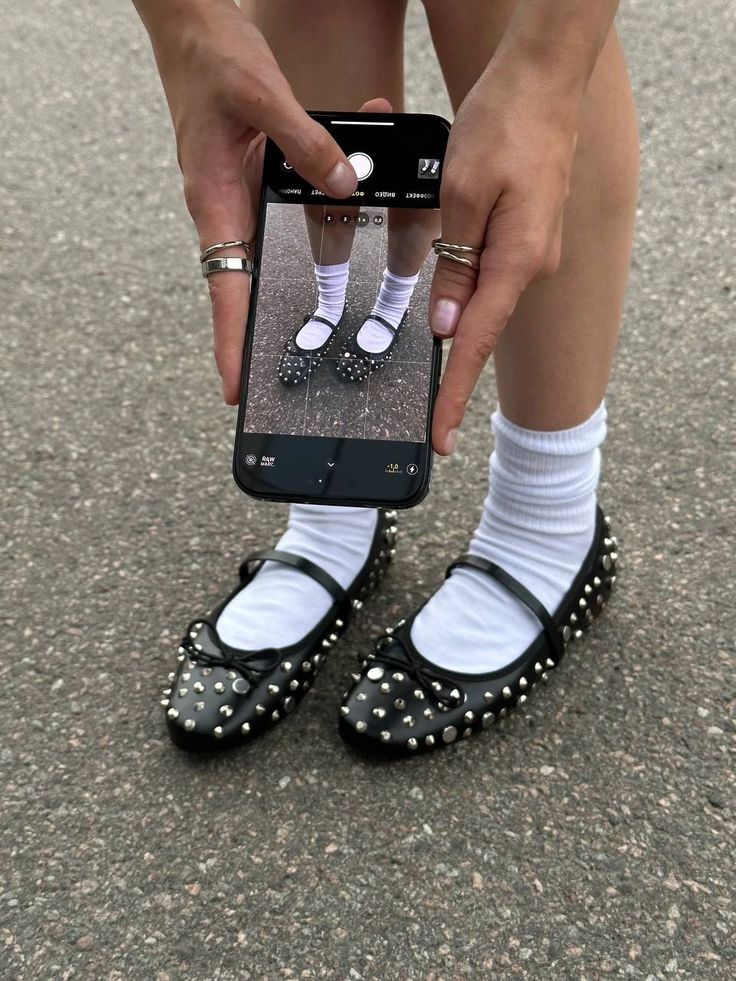
Most people who try to find clothes from photo end up frustrated — not because the technology doesn't exist, but because they're using the wrong tool for the job. General image search returns fast-fashion noise. Pinterest shows you vibes but no purchase links. And reverse image search was never built for fashion in the first place. The tools that actually work are the ones built around how people discover clothing today: screenshots, social media, thrift hauls. Forbes reports that fashion-specific AI is rapidly separating from general image search in both accuracy and commercial impact — and the difference is immediately obvious once you've used a tool that's actually built for clothes. Here's what works.
Table of Contents
Why Most Tools Fail at Finding Clothes From Photos
Comparison: Best Tools to Find Clothes From Photo (2026)
Copped — Best for Resale, Screenshots, and Real Fashion Results
Google Lens — Best Free Starting Point
SlayAI — Best for Full Outfit Aesthetics
Lykdat — Simplest Desktop Option
r/findfashion — Best When Every App Fails
Quick Tips to Get Better Results Every Time
Which Tool Should You Use?
Dig Deeper
FAQ
Why Most Tools Fail at Finding Clothes From Photos
The core problem isn't the AI — it's what each tool indexes. A general image search engine crawls the whole web, and the whole web is dominated by fast-fashion retailers with enormous SEO budgets. Upload anything to Google Lens and SHEIN, Temu, and AliExpress show up in the first row regardless of what you're actually looking for.
Fashion-specific tools are trained on garment data — silhouette, fabric, cut, neckline, era — which produces meaningfully better results for anything that isn't a basic commodity item. The second issue is workflow. Most clothing discovery happens on phones, through screenshots from TikTok or Instagram. A tool that requires downloading an image, opening a browser, and uploading a file creates enough friction that most people just give up. As Glossy reports, fast-fashion brands have heavily optimized for visual search visibility — which means the tools that don't filter for that bias will keep surfacing the same results.
The tools below address both problems.
Comparison: Best Tools to Find Clothes From Photo (2026)
Tool | Best For | Resale Support | Screenshot Upload | Platform |
|---|---|---|---|---|
Resale + retail, screenshots, fashion-tuned AI | Yes — Depop, Poshmark, Vinted, eBay | Yes — shortcut from any app | iOS | |
Fast free lookup of common items | No | Yes | iOS / Android | |
Full outfit aesthetic matching | Limited | Yes | iOS | |
Simple desktop retail match | No | Limited | Web | |
Vintage, obscure, or AI-resistant items | Yes (community-sourced) | Yes | Web / App |
Copped — Best for Resale, Screenshots, and Real Fashion Results
iOS · Fashion-tuned AI · Resale-first · Screenshot-native
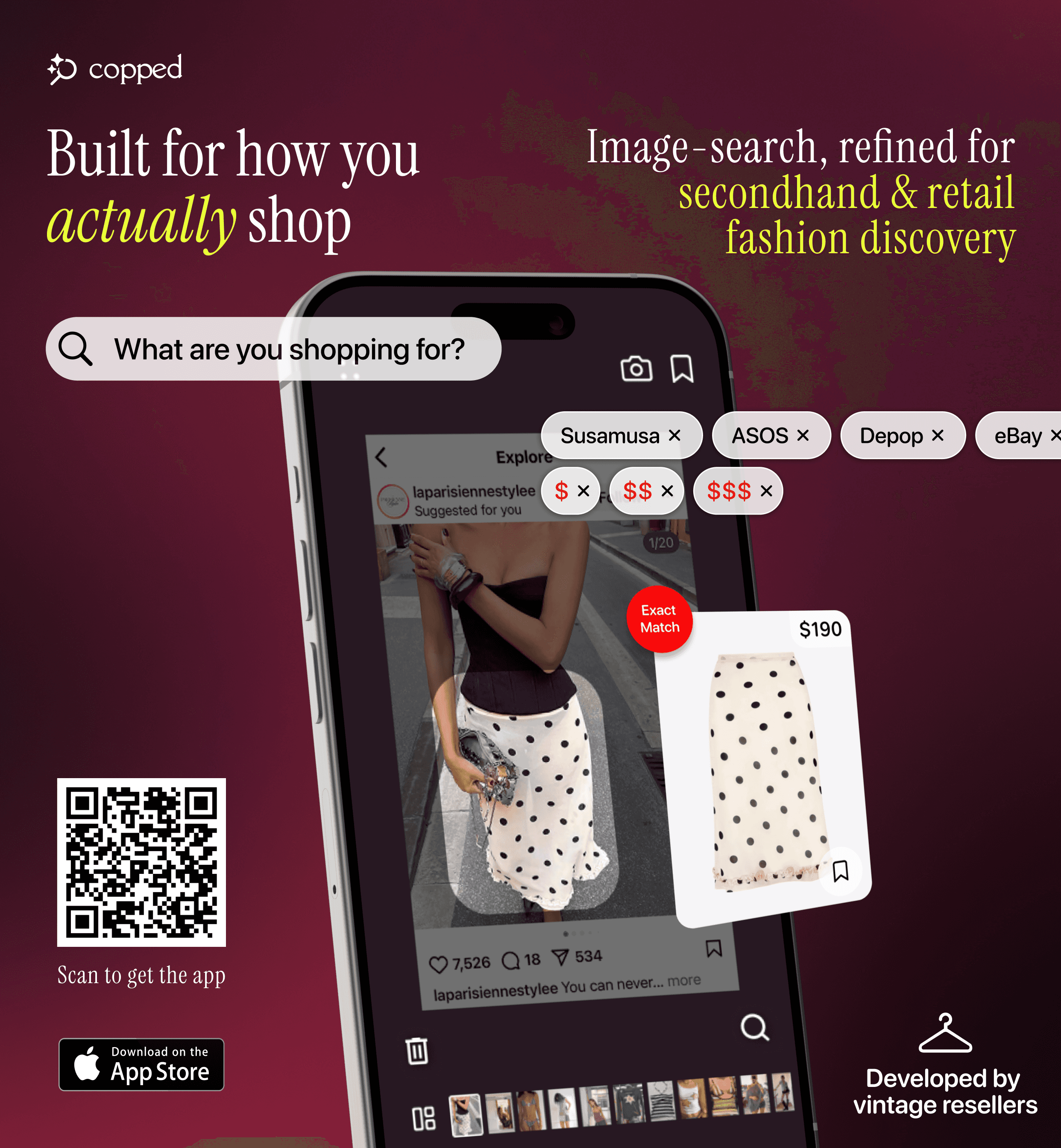
Copped is the most complete tool for finding clothes from a photo when you care about getting actual results — not fast-fashion clones. Built in 2025 by two clothing resellers, it was designed around the gaps every other tool leaves open.
The key features: shortcut upload from TikTok, Instagram, or Safari; resale results from Depop, Poshmark, Vinted, and eBay alongside retail; Collections to organize finds; visual search history to revisit past searches; text + image refinement for low-quality photos. iOS-native, actively updated through 2026–27.
Weakness: iOS only; resale marketplace coverage still expanding.
Best for: iPhone users who shop through screenshots and want fashion results that include resale.
Google Lens — Best Free Starting Point
Google Lens is fast, free, and already on your phone. For common, widely sold items it works well — but its results skew heavily toward fast-fashion retailers regardless of what you upload. No resale support, no search history.
Best for: Fast free identification of mainstream items when resale doesn't matter.
SlayAI — Best for Full Outfit Aesthetics
SlayAI is outfit-first — it reads a full look and matches it aesthetically rather than hunting down a specific item. Useful when you want to explore a style direction rather than find an exact piece. The main limitation is that the app hasn't released meaningful updates in a while, so its AI and features have fallen behind more actively developed tools.
Best for: Outfit aesthetic exploration when you want inspiration over precision.
Lykdat — Simplest Desktop Option
Lykdat is a clean, no-account web tool — upload a clear product image, get retail matches. Nothing more. Web-only, no resale, no mobile optimization. Fine for a quick desktop lookup from a proper product photo.
Best for: Desktop users with a clean image who want a quick, no-fuss retail result.
r/findfashion — Best When Every App Fails
Vintage pieces, grainy screenshots, obscure small-brand items — these are the cases where AI consistently struggles. r/findfashion fills that gap. Post your image with context (where you saw it, any visible details, the approximate era) and the community will usually have an answer within hours. Human pattern recognition catches things machine learning still misses — brand signatures, era-specific cuts, boutique label styles. As research in Fashion Meets Computer Vision confirms, even state-of-the-art AI models have real limits when garment data is sparse or ambiguous.
Best for: Hard-to-identify items that defeat every automated tool.
Quick Tips to Get Better Results Every Time
These apply to every tool on the list:
Crop tightly around the specific item — background clutter confuses garment detection
Add a short text description alongside low-quality images — "wide-leg trouser, deep blue, linen" beats image-only on ambiguous photos
Try multiple angles if you have them — a different frame from the same video often returns better results
Search one item at a time for exact matches — full-outfit images work for aesthetic matching, not precise identification
Check resale first if the item looks non-mainstream — the best finds live on Depop and Poshmark, not retail sites
Which Tool Should You Use?
Screenshot from social media, want resale options → Copped — the tool built for finding clothes from a photo with resale-first results
Free and fast, mainstream item → Google Lens
Want to explore the full outfit aesthetic → SlayAI
On desktop with a clean product photo → Lykdat
AI has failed, item is vintage or obscure → r/findfashion
For most people, Copped is the most reliable way to find clothes from a photo in 2026 — especially for anything that isn't a basic mainstream item. The secondhand fashion market continues to grow rapidly through 2025 and beyond, and tools that can search resale alongside retail are no longer optional — they're where the best inventory is.
Dig Deeper
Want more on specific tools, use cases, or step-by-step methods?
How to Find a Dress From a Picture or Screenshot (When the Exact One Is Sold Out)
Clothes Detector: Best Apps That Identify Clothes From a Photo (2026)
We also publish real-world app reviews and fashion discovery guides on Medium.
FAQ
What is the best tool to find clothes from a photo?
For iPhone users, Copped is the most capable tool for finding clothes from a photo — it returns both retail and resale results and is built for screenshot-based discovery. For a free, no-setup option, Google Lens is the fastest starting point for common items.
Can I find clothes from a picture when the item is sold out?
Yes — if the tool you're using indexes resale. Most apps only return retail results, so sold-out items simply don't surface. Copped searches Depop, Poshmark, Vinted, and eBay alongside retail, making it the right tool when the original is gone.
Does it work with low-quality or blurry screenshots?
Partially — but you can improve results on any tool by adding a short text description alongside the image. Pairing a blurry screenshot with terms like "rust leather trench, structured shoulders, oversized" will return more relevant results than the image alone. Copped supports text + image refinement for exactly this reason.
What if no app can identify the item?
Post to r/findfashion. The community handles vintage, low-quality, and obscure items that AI tools regularly miss — and they're fast. Include as much context as possible: where you saw it, any visible details, the approximate era or style.
Is there a tool that finds clothes from a picture and searches resale at the same time?
Yes — Copped searches resale platforms and retail simultaneously from a single image. It's the only tool on this list that returns Depop, Poshmark, Vinted, and eBay results alongside retail matches in one search.