How to Reverse Image Search an Outfit or Clothing Item
A reverse image search outfit — uploading a photo to find where those clothes come from — sounds simple. In practice, it almost never works the way people expect. Standard reverse image search tools weren't built for fashion. They find where an image appears on the web, not where a garment can be purchased. The result is usually a dead link, a fast-fashion clone, or a moodboard with no source. According to Seobility's overview of visual search, the technology has evolved significantly beyond basic image matching — but most people are still using the oldest, least fashion-relevant version of it. This guide explains how reverse image search actually works for clothing, which tools are worth using, and what to do when they don't work.
Table of Contents
What Is a Reverse Image Search for Outfits?
How Reverse Image Clothing Search Actually Works
When Reverse Image Search Works — and When It Doesn't
How to Reverse Image Search an Outfit: Step by Step
Best Tools for Fashion Image Search (2026)
Comparison Table — Fashion Image Search Tools
Copped — Best Fashion-Specific Alternative to Reverse Image Search
Google Lens — Most Accessible Reverse Image Search for Clothes
SlayAI — Outfit-First Visual Search
Lykdat — Simple Web-Based Fashion Search
r/findfashion — Human-Powered Search for Hard Cases
Tips for Better Reverse Image Search Results on Clothing
Which Tool Should You Use?
Dig Deeper
FAQ
What Is a Reverse Image Search for Outfits?
A reverse image search for outfits is the process of uploading a photo — a screenshot, a saved image, a photo you took yourself — and using it as a search query to find matching or similar clothing items online.
The term "reverse" distinguishes it from text-based search: instead of typing keywords to find images, you start with an image to find products, sources, or similar items. In the context of fashion, this usually means one of three goals:
Finding the exact item — identifying and locating a specific garment to purchase it
Finding a dupe or near-match — locating a visually similar piece when the original is unavailable
Identifying a brand or style — figuring out what something is called, who made it, or what aesthetic it belongs to
Each goal requires a slightly different approach — and in some cases, a different tool entirely.
How Reverse Image Clothing Search Actually Works
Understanding what happens under the hood explains why some tools work better than others for fashion.
Standard reverse image search — like Google Images or TinEye — works by finding other instances of the same image across indexed web pages. It's designed for identifying image sources, not for finding purchasable products. If the image you upload doesn't exist elsewhere on the web (which is true of any original screenshot or personal photo), it has nothing to match against.
Fashion image search tools work differently. Instead of matching the image file, they analyze the visual content of the image and extract garment attributes — silhouette, color, fabric type, neckline, cut, pattern — then compare those attributes against a product catalogue. The result isn't "this image appears on these pages" but "here are purchasable items that look like this."
The key technical steps:
Garment segmentation — the AI isolates the clothing item from the background
Feature extraction — it reads visual attributes: fabric weight, silhouette type, color undertone, pattern
Vector matching — it compares those features against millions of indexed products
Results ranking — it returns the closest visual matches, ranked by similarity
As research in Fashion Meets Computer Vision on ArXiv confirms, fashion-specific AI models significantly outperform general image recognition on garment attribute matching — particularly for niche silhouettes, fabric types, and non-mainstream styles. Specialisation in this domain genuinely matters.
When Reverse Image Search Works — and When It Doesn't
When it works well
The item is widely sold and appears in many retail listings online
You have a clear, high-resolution product photo (not a screenshot or crop)
You want to find the original source of a press or editorial image
The garment is a basic, recognizable category item (white t-shirt, black blazer)
When it fails
The image is a screenshot from TikTok, Instagram, or a video
The item is from a small brand, vintage, or no longer available at retail
You're trying to find resale alternatives or secondhand listings
The photo was taken yourself — it doesn't exist anywhere else on the web
The garment has distinctive but hard-to-keyword features (a specific drape, an unusual cut)
For most real-world fashion searches — screenshots, sold-out items, vintage pieces — standard reverse image search is the wrong starting point. Fashion-specific tools are more effective for these cases, and dedicated apps handle the screenshot workflow that standard tools weren't designed for.
How to Reverse Image Search an Outfit: Step by Step
Step 1 — Prepare your image
Crop tightly around the specific item you want to identify. Remove as much background as possible. A well-cropped image dramatically improves accuracy on every tool. If you're working from a blurry screenshot, note down any visible details — fabric type, color name, silhouette — to use as text refinement later.
Step 2 — Choose the right tool for your situation
Standard reverse image search (Google Images) is best for finding the source of a clear product photo. Fashion-specific tools are better for screenshots, sold-out items, and anything non-mainstream. The tool comparison below breaks this down in detail.
Step 3 — Upload and refine
Upload your image. If initial results are irrelevant, add text descriptors alongside the image — "oversized camel coat, structured shoulders, below-knee length." Most fashion-specific tools support image + text queries, and the combination consistently outperforms image-only searches on ambiguous photos.
Step 4 — Check resale if retail fails
If the item isn't available at retail, search resale platforms. Tools that index Depop, Poshmark, and Vinted alongside retail give you significantly more inventory to search across — especially for vintage or sold-out pieces. As The Guardian reports, the secondhand fashion market is surging — there's more resale inventory available now than ever before.
Step 5 — Use community search as a last resort
If every automated tool fails, post to r/findfashion. Human fashion knowledge still outperforms AI for vintage, obscure, or low-quality images. Include context: where you saw the item, any visible details, the approximate era.
Best Tools for Fashion Image Search (2026)
Not all tools that claim to support reverse image clothing search are built the same way. Here's an honest breakdown of what each one actually does well.
Comparison Table — Fashion Image Search Tools
Tool | Best For | Fashion-Tuned AI | Resale Support | Screenshot Upload | Platform |
|---|---|---|---|---|---|
Screenshots, resale + retail, sold-out items | Yes | Yes — Depop, Poshmark, Vinted, eBay | Yes — shortcut from any app | iOS | |
Fast free ID of common items | No (general AI) | No | Yes | iOS / Android | |
Full outfit aesthetic matching | Partial | Limited | Yes | iOS | |
Desktop retail lookup | Partial | No | Limited | Web | |
Vintage, obscure, AI-resistant items | N/A (human) | Yes (community-sourced) | Yes | Web / App |
Copped — Best Fashion-Specific Alternative to Reverse Image Search
iOS · Fashion-tuned AI · Resale-first · Screenshot-native
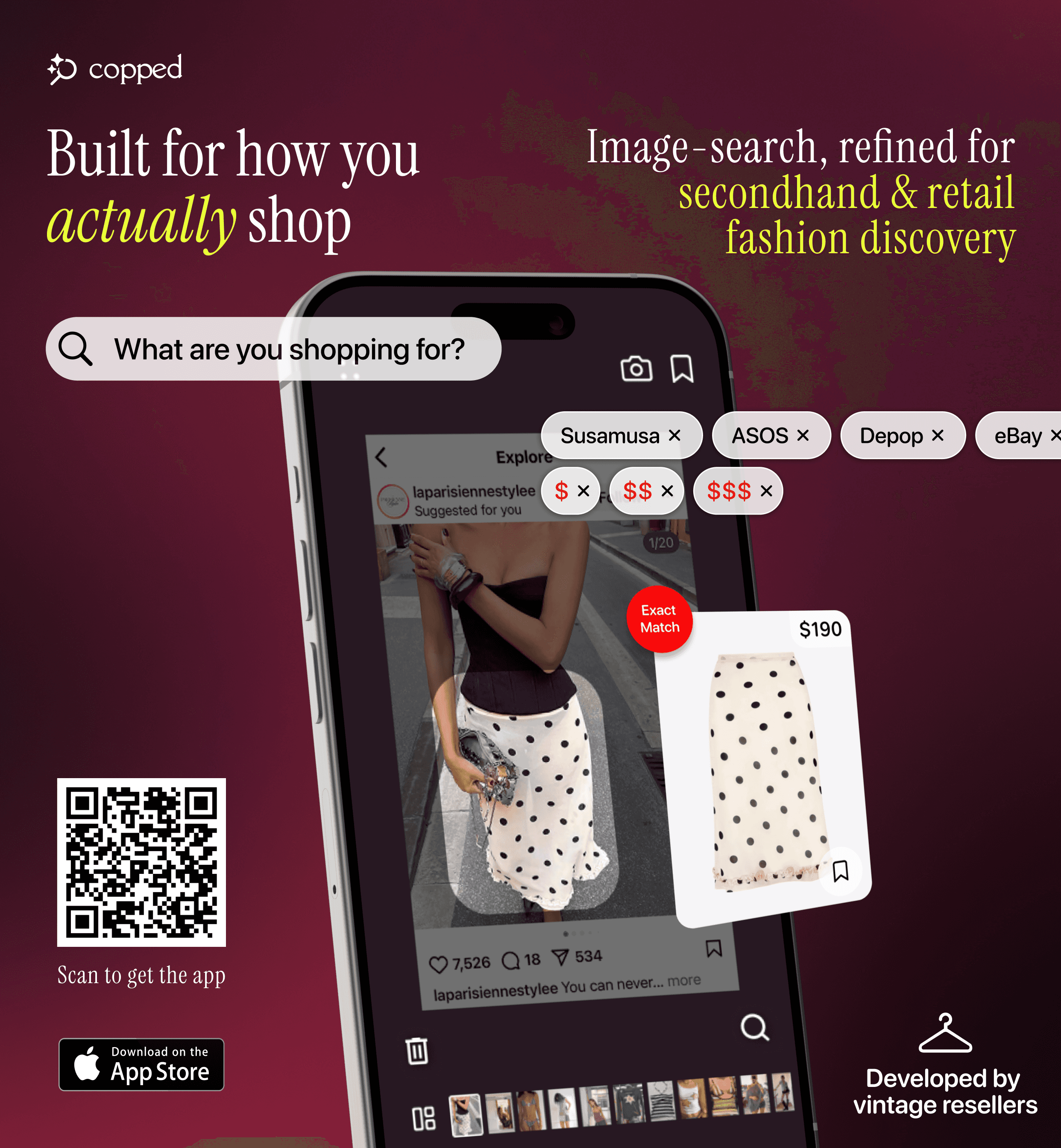
Copped is the most practical tool for reverse image clothing search when the goal is actually finding something to buy. Built in 2025 by two clothing resellers, it addresses the two structural failures of standard reverse image search: it indexes resale alongside retail, and its upload flow is built around screenshots rather than clean product photos.
Key features: shortcut upload directly from TikTok, Instagram, or Safari; resale results from Depop, Poshmark, Vinted, and eBay; Collections and visual search history to stay organized; text + image refinement for low-quality photos. Fashion-tuned AI, iOS-native, actively updated through 2026–27.
Weakness: iOS only; resale marketplace coverage still expanding.
Best for: iPhone users who want fashion image search that covers resale and handles screenshots natively.
Google Lens — Most Accessible Reverse Image Search for Clothes
Google Lens is the most widely used reverse image clothing search tool — built into Android and the Google app on iOS. It's fast, free, and works without any additional setup. For common, widely sold items with a clean image, it's a reliable starting point.
The limitation is structural: because Lens is trained on the full web, results skew toward fast-fashion retailers regardless of what you upload. It also has no resale support and no saved history. Think of it as a useful first pass — not a complete fashion search solution. As Glossy reports, fast-fashion brands have aggressively optimized for visual search rankings, which explains why they dominate Lens results so consistently.
Best for: Fast, free identification of mainstream clothing items. Use it as a starting point, not a final answer.
SlayAI — Outfit-First Visual Search
SlayAI approaches fashion image search from an outfit perspective rather than a single-item one — it reads a complete look and matches it aesthetically. Useful when you want to explore a style direction or identify the overall vibe of an outfit, rather than track down one specific piece. The main limitation is that the app hasn't released meaningful updates in a significant period of time, so its AI and feature set have fallen behind more actively iterated tools.
Best for: Outfit aesthetic exploration when inspiration matters more than exact identification.
Lykdat — Simple Web-Based Fashion Search
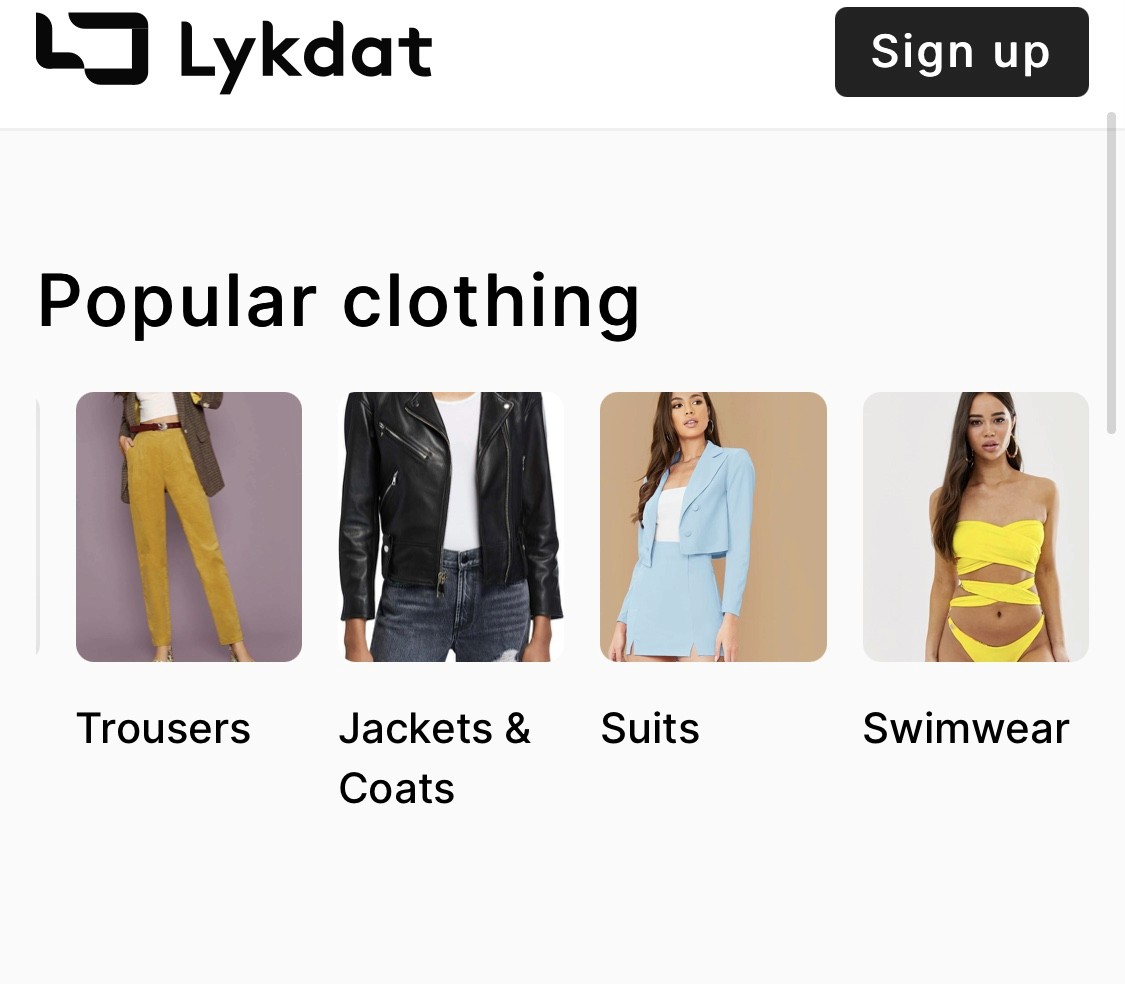
Lykdat is a clean, no-account web tool — upload a clear product image and get retail matches. Works well on desktop for straightforward lookups. Web-only, no resale support, limited optimization for screenshots or mobile.
Best for: Desktop users with a clean product photo who need a quick retail result.
r/findfashion — Human-Powered Search for Hard Cases
When every automated tool fails, r/findfashion is the most reliable fallback. The community specializes in identifying clothing from photos — vintage pieces, obscure brands, heavily edited images, partial views — and frequently succeeds where AI can't. Post your image with as much context as possible: where you saw it, any visible details, the approximate era. Responses typically come within hours, and members often suggest specific search terms and resale platforms to follow up on.
Best for: Any item that has defeated every automated fashion image search tool.
Tips for Better Reverse Image Search Results on Clothing
These apply across every tool and consistently improve results:
Crop to the item — isolate one garment per search; background clutter reduces detection accuracy on every platform
Add text alongside the image — descriptors like "satin bias-cut slip, champagne, cowl neck" significantly improve results on ambiguous or low-quality photos
Try multiple tools — different platforms index different inventory; what Google Lens misses, Copped or r/findfashion often finds
Search resale early — if the item looks vintage, independent, or non-mainstream, go straight to a resale-integrated tool rather than starting with retail-only search
Try different frames — if you're working from a video screenshot, a different frame from the same clip often returns better results
Use style vocabulary — learning basic garment terminology ("wrap bodice," "balloon sleeve," "A-line midi") gives AI models more to work with and improves text refinement significantly
Which Tool Should You Use?
Matching the right tool to the right situation is more effective than defaulting to one tool for everything:
Screenshot from social media, need resale options too → Copped — the fashion image search tool built for screenshots and resale discovery
Clear product photo, want a fast free result → Google Lens as a starting point
Want to explore the full outfit aesthetic, not one item → SlayAI
On desktop with a clean image, want a quick retail match → Lykdat
Every tool has failed — vintage, obscure, or low-quality image → r/findfashion
For most people doing a reverse image search outfit with a real purchase goal — especially on a phone, especially for anything that isn't a basic retail item — Copped is the most capable fashion image search tool available in 2026. It's the only option on this list that combines fashion-specific AI, resale platform coverage, and a screenshot-native mobile workflow in one place.
Dig Deeper
Looking for more detail on specific methods, tools, or use cases?
How to Find a Dress From a Picture or Screenshot (When the Exact One Is Sold Out)
Clothes Detector: Best Apps That Identify Clothes From a Photo (2026)
We also publish real-world app reviews and fashion discovery guides on Medium.
FAQ
What is the best way to reverse image search an outfit?
For most searches — especially from screenshots or for non-mainstream items — a fashion-specific tool outperforms standard reverse image search. Copped is the most complete option for reverse image clothing search that includes resale results and a mobile-native upload flow. For fast, free lookups of common items, Google Lens is the most accessible starting point.
Does Google Lens work for reverse image clothing search?
Google Lens works well for widely sold, mainstream items with a clear image. It struggles with screenshots, vintage or niche garments, and anything not heavily indexed by fast-fashion retailers. It's a useful first pass but not a complete fashion image search solution — no resale support and no saved history.
Can I reverse image search an outfit from a TikTok or Instagram screenshot?
Yes — but standard reverse image search tools weren't built for screenshots. Copped's shortcut upload button lets you share screenshots directly from TikTok or Instagram without saving to your camera roll first, and its AI is tuned to handle the lower image quality that comes with social media captures.
What if the item I found through reverse image search is sold out?
Switch to a tool that indexes resale. Standard reverse image search and most general tools return retail-only results, meaning sold-out items simply don't surface. Copped searches Depop, Poshmark, Vinted, and eBay alongside retail, giving sold-out and discontinued items a realistic chance of appearing.
How do I improve my reverse image search results for clothing?
Crop your image tightly around the specific item, then add a short text description alongside it — "structured blazer, camel, oversized, notched lapel." Most fashion-specific tools support image + text queries, and the combination consistently outperforms image-only search on ambiguous or low-quality photos. If results are still poor, try a different tool or post to r/findfashion.
Is reverse image search the same as visual fashion search?
Not exactly. Standard reverse image search finds where an image appears on the web. Visual fashion search analyzes the garment's visual attributes — silhouette, fabric, cut — and returns purchasable products that match those attributes. The two approaches serve different goals: one finds image sources, the other finds things to buy. For shopping purposes, Copped is purpose-built for visual fashion search rather than reverse image matching.